
Very simple interactive webpage for a colour learning game.
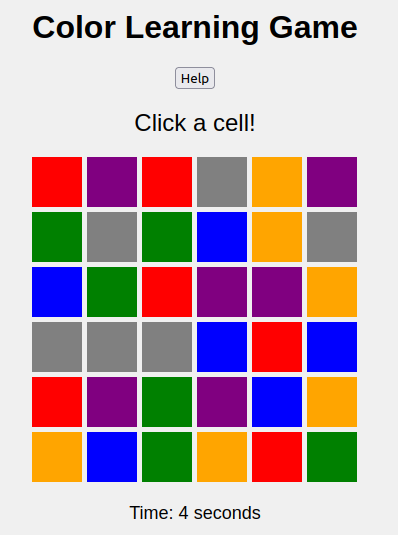
The game consists in having a grid with multiple colours and a panel where a colour name will be presented; the user will click a cell in the grid and that cell's colour name will be presented in a panel above. Once a cell has been clicked, it will become black. The game is over when all the cells are black. The goal is to click all the cells in the shortest amount of time.
-
When the user enters the page, it will present a "Start" button.
-
When the user clicks "Start":
-
A grid of 6x6 cells is created.
- The grid should be generated dynamically, using JavaScript.
- Each cell is assigned a random colour, between blue, red, green, orange, purple and gray.
- A timer will start showing the elapsed time.
- The "Start" button is hidden.
-
Each time the user clicks a cell, the colour's name will be displayed in a panel above the grid, using the same colour in the text's style.
-
The cells will become black only when the user clicks two different cells with the same colour in sequence. Ensure that each colour appears exactly 6 times (3 pairs).
-
When the game is over (all cells are black), the colour name panel will display "Game Over", written in black.
-
The total time taken to complete the game is shown to the user with an alert.
-