












PSWriteHTML is PowerShell Module to generate beautiful HTML reports, pages, emails without any knowledge of HTML, CSS or JavaScript. To get started basics PowerShell knowledge is required. PSWriteHTML is a fork of ReportHTML module. I've forked ReportHTML due to it being outdated and not maintained. I also wanted to address some problems it had and add more features. As it stands PSWriteHTML is a complete rewrite. Make sure to read blog posts provided to understand the concepts and how you can use PSWriteHTML for your own needs.
While you can take sources and use it from here, PSWriteHTML actually is composed of multiple other of my modules. To get it up and running you will need *PSSharedGoods, and PSSharedGoods will need Connectimo and PSWriteColor. While Connectimo or PSWriteColor aren't needed for PSWriteHTML, PSSharedGoods uses them for some of the commands and it will fail without them. You can get all that from sources but if you just want to use my modules you should use the Install-Module command. It's available in PowerShell 5.1. As an added bonus when I publish modules to PowerShellGallery I remove any junk, minimize modules to a single file which makes them faster to load and use. I really encourage you to use the module from PowerShellGallery and treat GitHub as a highly development version. Since version 0.0.61 when PSWriteHTML is published every dependency is baked into PSWriteHTML. That means you don't need to download any other modules unless you want to contribute to this project.
Install-Module -Name PSWriteHTML -AllowClobber -ForceForce and AllowClobber aren't necessary but they do skip errors in case some appear.
Update-Module -Name PSWriteHTMLThat's it. Whenever there's a new version you simply run the command and you can enjoy it. Remember, that you may need to close, reopen the PowerShell session if you have already used the module before updating it.
The important thing is if something works for you on production, keep using it till you test the new version on a test computer. I do changes that may not be big, but big enough that auto-update will break your code. For example, small rename to a parameter and your code stops working! Be responsible!
Dependencies: PSSharedGoods, PSWriteColor and Connectimo are only used during development. When published to PSGallery / Releases it's a merged release without any dependencies.
- 🔗 Meet Statusimo - PowerShell generated Status Page
- 🔗 Meet Dashimo - PowerShell Generated Dashboard
- 🔗 Dashimo - Easy Table Conditional Formatting and more
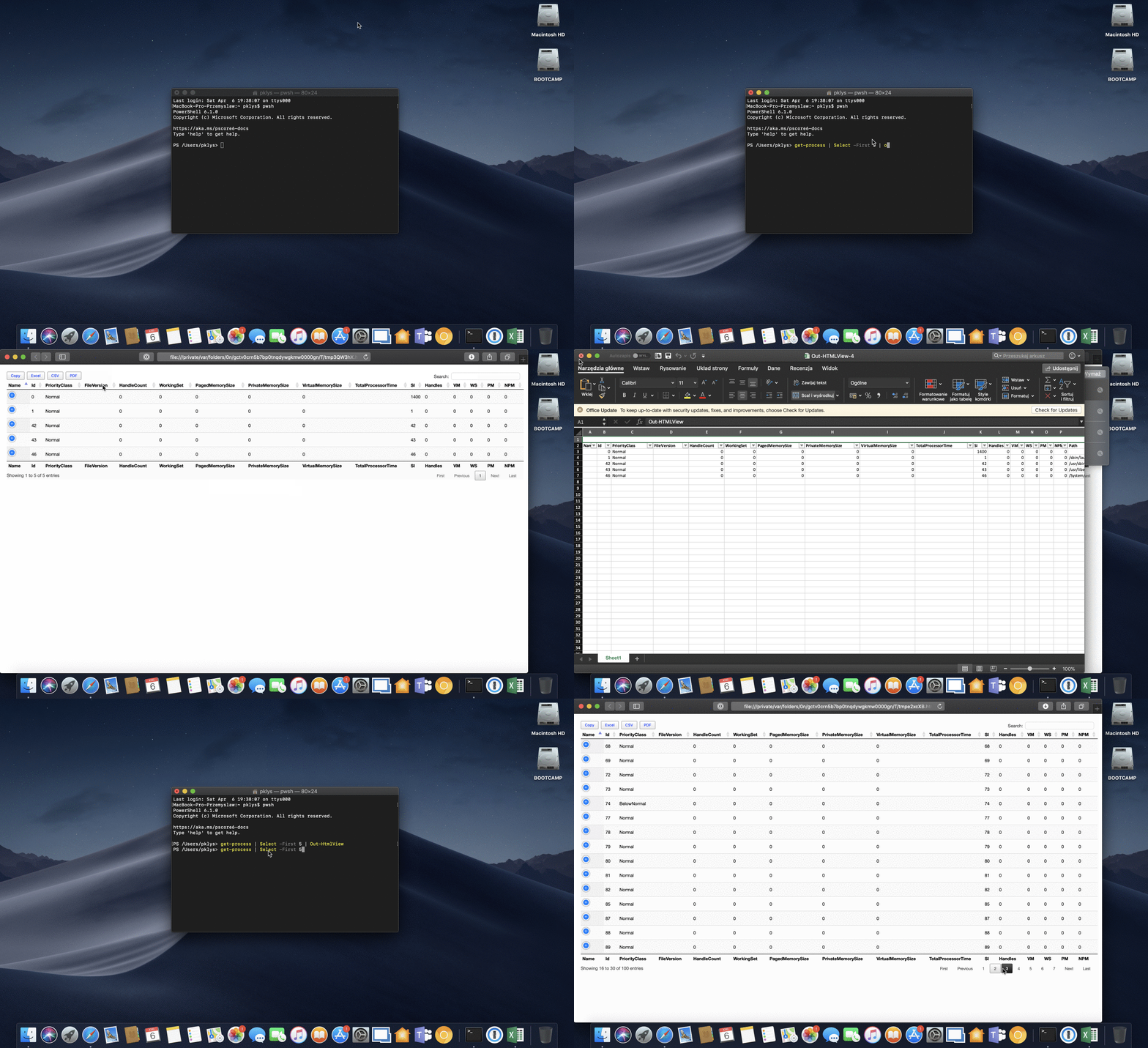
- 🔗 Out-HtmlView - HTML alternative to Out-GridView
- 🔗 Meet Emailimo - New way to send pretty emails with PowerShell
- 🔗 All your HTML Tables are belong to us
- 🔗 Sending HTML emails with PowerShell and zero HTML knowledge required
- 🔗 Dashimo (PSWriteHTML) - Charting, Icons and few other changes
- 🔗 Working with HTML in PowerShell just got better
- 🔗 Comparing two or more objects visually in PowerShell (cross-platform)
- 🔗 Easy way to create diagrams using PowerShell and PSWriteHTML
- 🔗 Nested Tabs, Diagram Updates, Diagram Events, Calendar Object and more in PSWriteHTML
- 🔗 Emailimo merged into PSWriteHTML, IE support and no dependencies
- 🔗 Active Directory DHCP Report to HTML or EMAIL with zero HTML knowledge
- 🔗 Creating Office 365 Migration Diagram with PowerShell
- 🔗 Advanced HTML reporting using PowerShell
Use -ExportScope Filtered to export every matching row even when some rows are selected. All exports the complete table, Selected exports selected matching rows, and the default Automatic retains DataTables' selection and filtering behavior.
New-HTML -FilePath './report.html' {
    New-HTMLTable -DataTable $Rows -Filtering -FilteringLocation Top -ExportScope Filtered {
        New-TableButtonExcel -TextColumns 'AccountNumber', 'EmployeeId'
        New-TableButtonCSV
    }
}
Excel exports keep numeric values with more than 15 significant digits as text. -TextColumns also preserves shorter identifiers as text while other numeric columns remain available for calculations. CSV exports quote fields and prefix formula-like text with an apostrophe; ordinary negative numbers retain their values. Use New-TableButtonCSV -RawData when a programmatic consumer needs the original formula-like text.
Each New-TableRowGrouping adds a grouping level in declaration order. Inline table conditions can use helper properties excluded from the displayed table with -ExcludeProperty. New-TableHeader -TitleAlignment center -NamesAlignment right sets merged-title and column-name alignment independently. -SearchPaneColumns limits enabled search panes to named columns.
New-HTMLMarkdown -FilePath './notes/readme.md' embeds relative local images from the Markdown source directory so the HTML can be moved to another folder. -ImageBase supplies a directory for content provided directly, and -EmbedImages $false retains relative references. Embedding stays within the specified source directory and skips symbolic links.
For smaller reports, select only the buttons needed with -Buttons csvHtml5, or use -HideButtons. Offline reports embed the assets required by those capabilities.
PSWriteHTML undergoes changes that hopefully will make it more versalite, consistent and better.
Please make sure to read changes before updating, as we're undergoing some breaking changes from time to time.
Full changelog can be found here.
- complete rewrite
- faster report building (from 20+ seconds to 0-2 seconds)
- updated libraries
- bunch of different, new features
- easier building HTML
Matthew Quickenden (@lucidqdreams) - author of ReportHTML - without him this wouldn't be possible.
- Statusimo is a PowerShell module that is able to generate a Status Page entirely from PowerShell.
- Dashimo is a PowerShell module that makes generating Dashboards, nice looking HTML, a breeze.
- Emailimo is a PowerShell module that makes writing nice looking HTML emails, easy!
- Out-HTMLView is a PowerShell cross-platform command alternative to Out-GridView
For colors, you can visit this online page.
PSWriteHTML uses some 3rd party libraries to deliver its functionality. It requires those and without them - this project would have a basic functionality. There are two ways to use it
- With links to CSS/JS which makes code cleaner and easy to see what is happening
- With code inline in HTML which makes HTML much bigger (default, but makes PSWriteHTML usage offline possible)
Below you can find 3rd party libraries being used.
- DataTables.net - MIT license
- ApexCharts - MIT license
- Google Fonts (Roboto)
- Fonts Awesome
- Accordion - MIT license
- Kineto - MIT License
- MultiLevelPushMenu jQuery Plugin
- Vis-Network - Apache 2.0
- Vis-TimeLine - MIT and Apache 2.0
- EasyQRCodeJS - MIT license
- JQuery SmartWizard - MIT license
- JQuery SmartTab - MIT license
- PopperJS - MIT license
- MomentJS - MIT license
- JustGage - MIT license
- FrancyTree - MIT license
- FullCalendar - MIT license
- D3 Mitch Tree - MIT license
- JQuery - MIT license
- Chart.xkcd - MIT license
- OrgChart - MIT license
- HighlightJS - BSD 3-Clause "New" or "Revised" License
- EnlighterJS - Mozilla Public License 2.0