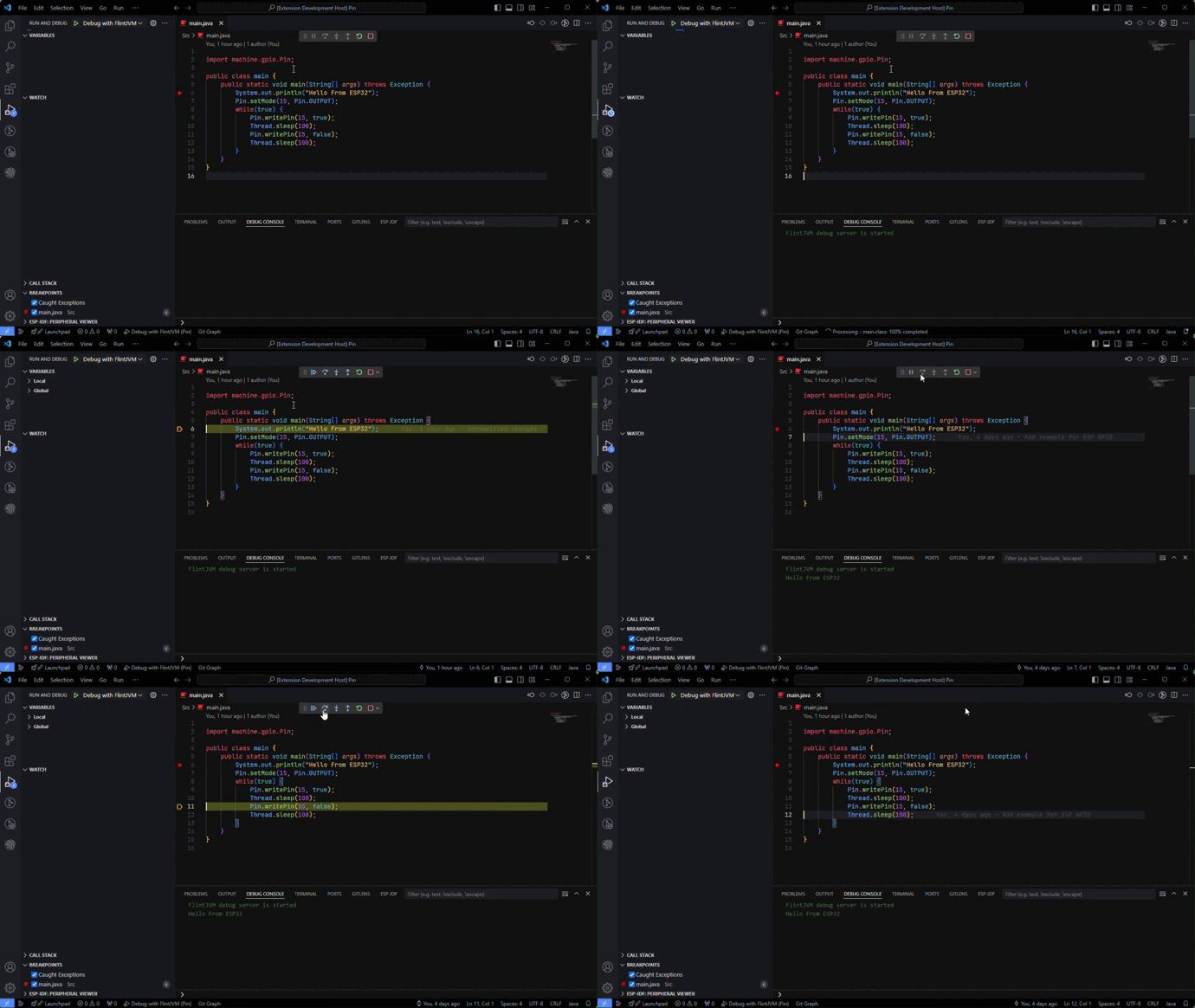
A Visual Studio Code extension support for the debugging java language with FlintJVM.
It Provides basic features such as:
- Pause, Continue, Restart.
- Step Over, Step Into, Step Out.
- Stack trace.
- Set and remove breakpoints.
- Stop on exception and display exception information.
- View local variables and evaluate expressions.
- Display message printed from java code.
- Install FlintJVM Debug extension on VS Code.
- Click on the "Install" button.
- In the new window, open the your java project that will be run on FlintJVM.
- Open
Run > Add Configuration... > Flint Debugto add launch.json with default configuration or refer to the following example configuration:{ "version": "0.2.0", "configurations": [ { "type": "flint-debug", "request": "launch", "name": "Debug with FlintJVM", "port": "COMx", "program": "bin/jar/FlintApp.jar", "sourcePath": "src", "modulePath": [ "lib/java.base.jar", "lib/flint.io.jar", "lib/flint.net.jar" ] } ] } - Change the default parameters in launch.json to match your project.
- Press
F5to start debugging your java project.
cwd- Type: string
- Description: The current working directory of the executed program. This parameter is not required.
port- Type: string
- Description: Port to connect to flint server. The value can be a TCP/IP address or a COM port name. This parameter is required.
- Example
"port": "COM10"orport": "/dev/ttyUSB0"to use the COM port with the default baud rate (460800)."port": "COM10@921600"orport": "/dev/ttyUSB0@921600"to use the COM port with the specified baud rate."port": "127.0.0.1"to use the TCP/IP with the default port number (9620)."port": "127.0.0.1:1234"to use the TCP/IP with the default specified port number.
program- Type: string
- Description: Path to program file. This parameter is required.
- Example:
"program": "bin/jar/FlintApp.jar"
sourcePath- Type: string or array
- Description: Path to source files. This parameter is not required but it will help the extension find the source code in case you want to debug it.
- Example:
"sourcePath": "src"in case you only have one path."sourcePath": ["src1", "src2", "src3"]in case you have more than one path.
modulePath- Type: string or array
- Description: Path to java module files. This parameter is required but it will be useful if you want to debug dependent modules.
- Example:
"sourcePath": "java.base.jar"in case you only have one module."sourcePath": ["java.base.jar", "flint.io.jar", "flint.net.jar" ]in case you have more than one module.
- Clone and open this repo in VS Code.
- Run
npm installto install the dependencies. - Press
F5to open a new window with your extension loaded.