Fix the grid, the bottom strip and scrolling when the font is large - #1
Fix the grid, the bottom strip and scrolling when the font is large#1demoj1 wants to merge 4 commits into
Conversation


The grid tiles were built with `create-image' without `:scale', so Emacs
applied `image-scaling-factor' (char-width/10 when left at `auto'), while
the header image passed an explicit `:scale 1'.  On a HiDPI setup with a
19.6pt font that stretched the grid by 1.3 and left the day labels behind
by 30% per column: the further right the column, the bigger the miss.

Introduce `org-timegrid-image-scale' and apply it to every image, laying
the SVG out in window pixels divided by that factor so the canvas still
ends exactly at the window edge.  Mouse coordinates and the fringe offset
arrive in real window pixels, so scale those down before hit-testing, and
compare the recorded width in the same units to avoid redrawing on every
resize event.

Co-Authored-By: Claude Opus 5 (1M context) <noreply@anthropic.com>
Claude-Session: https://claude.ai/code/session_014nqM3DEZjQyybPRfBMwypu
The canvas is 1302px tall (24h at 0.9px/minute plus the 6px top inset) and
tiles are one hour, 54px.  Rounding the tile count up produced a 25th tile
just 6px tall, and a 6px image still occupies a whole text line: it showed
up as a blank white band spanning the calendar under the last hour.  The
newline after the final tile added a second, empty line below that.

Round the count down and let `org-timegrid--tile-bounds' give the leftover
to the last tile (60px instead of 54+6), share those bounds with the image
map so its hotspots keep covering the full canvas, and stop emitting the
trailing newline.

Co-Authored-By: Claude Opus 5 (1M context) <noreply@anthropic.com>
Claude-Session: https://claude.ai/code/session_014nqM3DEZjQyybPRfBMwypu
Scrolling mixed two coordinate systems: `window-vscroll' and
`window-body-height' report displayed pixels, while the cursor position,
`org-timegrid--image-height' and the per-tile offsets are canvas pixels.
At a zoom factor of 1 the two agree, so the bug stayed hidden; at 1.3 every
scroll target lands 30% off, `org-timegrid-recenter' puts the cursor well
away from the middle, and the computed maximum stops short of the bottom.

Convert at the boundary instead: `org-timegrid--display-y' scales a canvas
coordinate, `org-timegrid--display-tile-height' gives a tile's on-screen
height, and `org-timegrid--display-height' sums the tiles rather than
scaling the canvas once, because each tile image rounds to whole pixels on
its own.  Cursor-into-view, recenter, center-now, the page size and both
vscroll helpers now work in window pixels throughout.

Co-Authored-By: Claude Opus 5 (1M context) <noreply@anthropic.com>
Claude-Session: https://claude.ai/code/session_014nqM3DEZjQyybPRfBMwypu
Motion scrolls the minimum that keeps the cursor slot visible, so after a
long run the cursor sits at the window edge and the surrounding hours are
only visible on one side.  `org-timegrid-recenter' fixes that by hand.

Add `org-timegrid-scroll-style': `minimal' keeps today's behaviour and
stays the default, `center' holds the cursor slot in the middle whenever
there is room left to scroll.  The centring itself moves into
`org-timegrid--center-cursor', which `org-timegrid-recenter' now shares
instead of repeating the arithmetic.

Co-Authored-By: Claude Opus 5 (1M context) <noreply@anthropic.com>
Claude-Session: https://claude.ai/code/session_014nqM3DEZjQyybPRfBMwypu
 demoj1
changed the title
demoj1
changed the title

|
Hey! thanks for the PR. Can you please see if there are still issues with alignment after this commit I think the other fixes might still be valid. Can you please create separate PRs for individual features and bug fixes so that reviewing is easier on my end. |

|
Thanks for the quick reply, and for the zoom work. I checked
176 / 136 = 1.29.
The reason is that your zoom and The other two problems are also still there:
I split the rest into separate PRs as you asked:
Each one is on its own branch off current |
2 participants


Thanks for the package, it is lovely to use.
I hit three bugs on a HiDPI screen with a large font (Iosevka, 19.6pt, so one
character is 13px wide). They all come from the same thing, so they are in one
PR.
The root cause
The package uses two kinds of pixels:
When nothing scales the images, both are the same number. So the mix-up never
showed. As soon as a scale factor appears, three things break at once.
Bug 1: the grid does not line up with the day names
The header image is made with
:scale 1. The grid tiles are made withcreate-imageand no:scale. So Emacs scales the tiles withimage-scaling-factor. Its default isauto, which meanschar-width / 10.On my setup that is 1.3.
So the grid is 30% wider than the header. Both use the same
column-width, soevery column moves a bit further away from its day name. By Sunday the gap is
about a third of a column.
You can see it in the numbers: the day names are 187px apart, the grid columns
are 245px apart, and 245 / 187 = 1.3.
Fix: a new option
org-timegrid-image-scale(default1.0). Every imagenow gets the same explicit
:scale. The SVG is laid out inwindow-width / scale, so the canvas still ends exactly at the window edge.Mouse clicks and the fringe come in window pixels, so I convert them before
hit-testing.
The option is also a zoom control.
1.3gives the old, bigger grid — but nowthe header and the events grow with it.
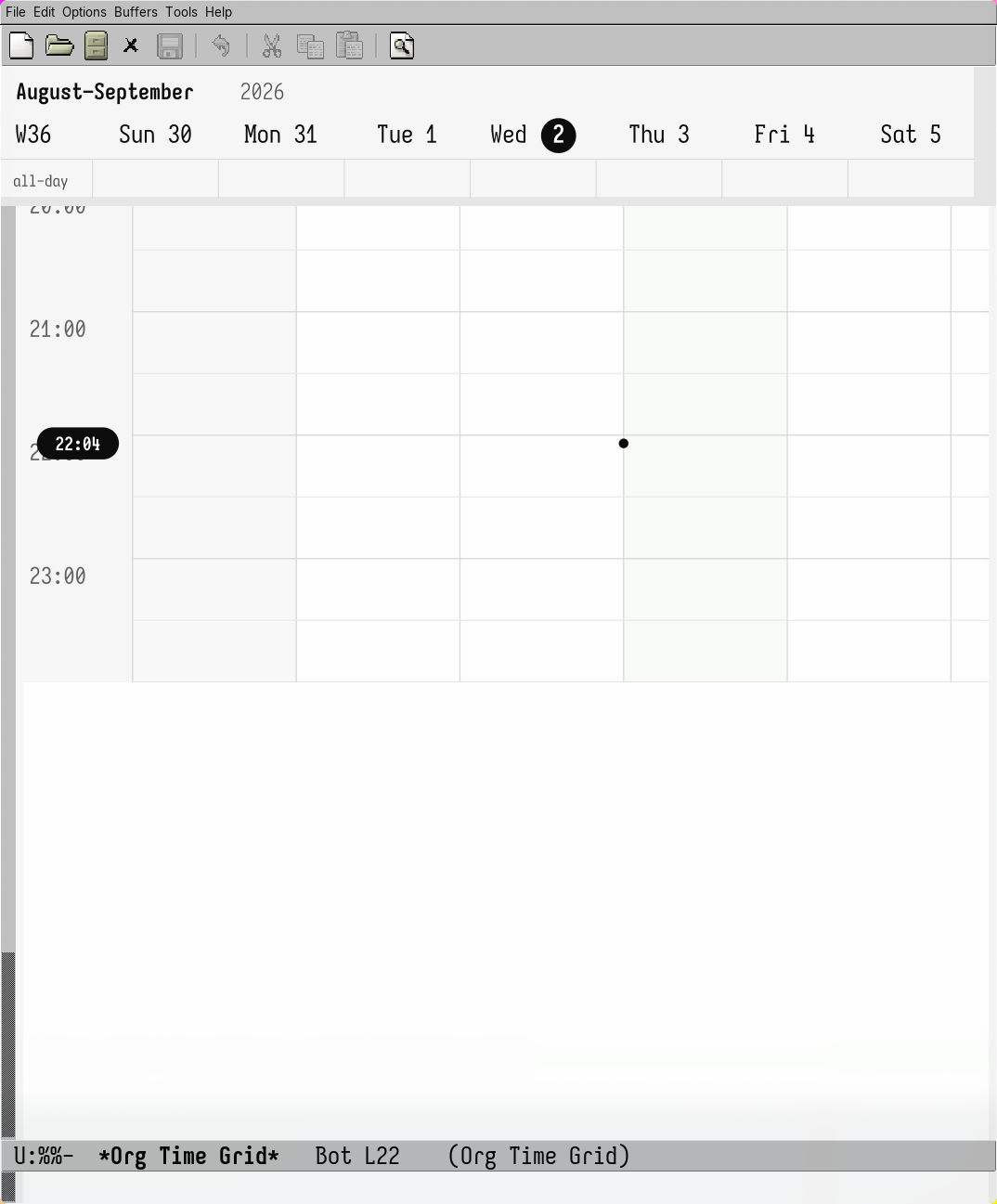
Bug 2: a white strip under the last hour
The canvas is 1302px tall: 24 hours × 60 × 0.9 px per minute, plus a 6px inset
at the top. One tile is one hour, so 54px.
ceiling(1302 / 54)is 25. So the last tile is only 6px tall. But a 6pximage still takes a whole text line, so it looks like a white strip across the
calendar. The newline after the last tile added an empty line under it.
Fix: round the tile count down and give the extra 6px to the last tile, so
it is 60px instead of 54 + 6. A new
org-timegrid--tile-boundsreturns thebounds, and the image map uses it too, so clicks still work on the whole
canvas. The last newline is gone.
Bug 3: scrolling and
org-timegrid-recenterstop at the wrong placewindow-vscrollandwindow-body-heightreturn window pixels. But the cursorposition,
org-timegrid--image-heightand the tile offsets inorg-timegrid--window-scroll-pixelsare canvas pixels.At scale 1 both are equal, so this was fine. At 1.3 every scroll lands 30% off,
org-timegrid-recenterputs the cursor far from the middle, and the maximumscroll stops before the end of the day.
Fix: convert at the border. Three small helpers do it:
--display-y,--display-tile-heightand--display-height. The last one adds up the tilesinstead of scaling the canvas once, because each tile image is rounded to whole
pixels on its own and the error adds up (1688px, not 1693px, over 24 tiles).
Extra:
org-timegrid-scroll-styleThis one is not a bug fix, just a small option. Today the view scrolls as
little as possible, so after moving for a while the cursor sits at the edge of
the window.
org-timegrid-recenterfixes it by hand.The new option lets you choose:
minimal— today's behaviour, and the default;center— keep the cursor in the middle while there is room to scroll.The centring code now lives in
org-timegrid--center-cursor, andorg-timegrid-recenteruses it too, so the maths is written once.Happy to drop this last commit if you want the PR to be fixes only.
Notes
image-scaling-factoralready returned 1 for them. Both new options defaultto the current behaviour.
option with bad values.