

-blue)
-blue)

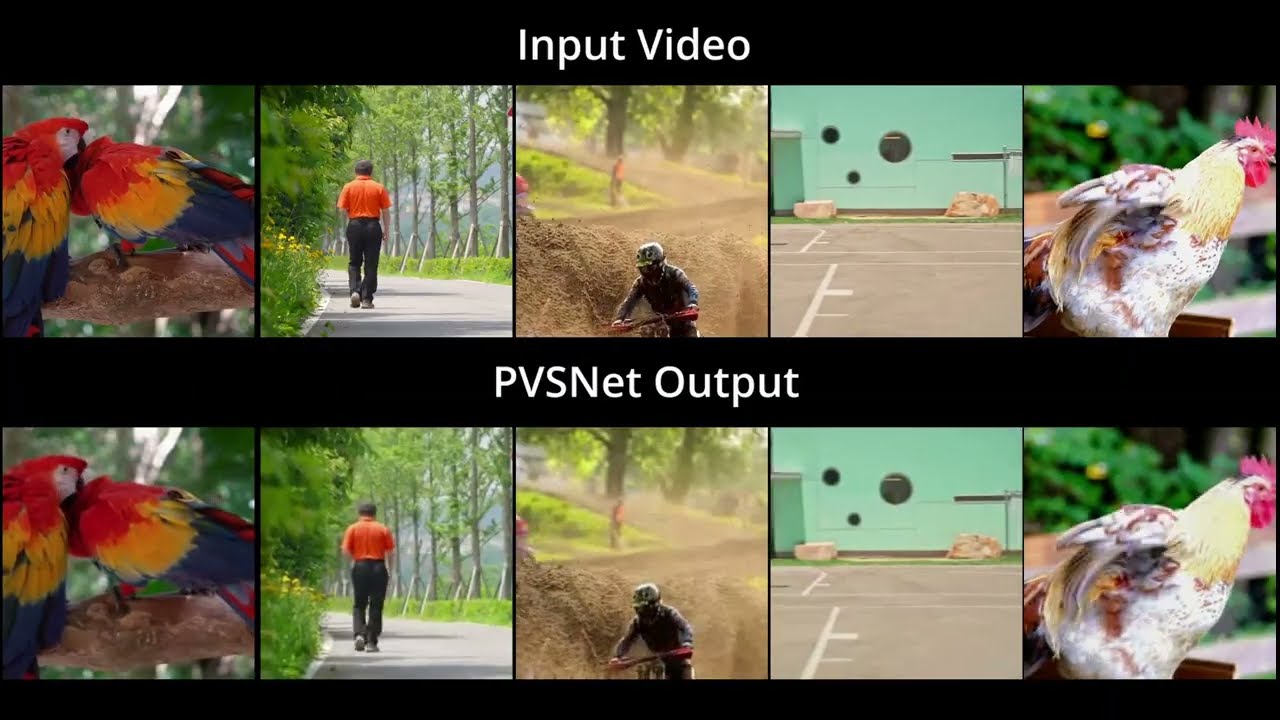
This repo contains the supplementary materials for our paper PVSNet. The paper has been accepted, and we are starting to make the checkpoints available in the below table. The huggingface demo, dataset and project page links are in header of this README file.
-
Clone the repo and navigate into the directory
git clone https://github.com/Realistic3D-MIUN/PVSNet.git cd PVSNet -
Download Checkpoints and place them into the
./checkpoint/directory (We will opensource the model checkpoints for ablation study models as well, for instance Blender model with DINOv2 head):
| Model Checkpoint | Dataset | Resolution | Architecture | Download Link |
|---|---|---|---|---|
checkpoint_blender_pvsnet_256x256.pth |
Blender | 256x256 | Regular | Link |
checkpoint_blender_pvsnet_512x512.pth |
Blender | 512x512 | Regular | Link |
checkpoint_blender_pvsnet_lite_256x256.pth |
Blender | 256x256 | Lite | Link |
checkpoint_blender_pvsnet_lite_512x512.pth |
Blender | 512x512 | Lite | Link |
checkpoint_coco_pvsnet_256x256.pth |
COCO | 256x256 | Regular | Link |
checkpoint_coco_pvsnet_lite_256x256.pth |
COCO | 256x256 | Lite | Link |
checkpoint_coco_pvsnet_lite_512x512.pth |
COCO | 512x512 | Lite | [Link] |
checkpoint_coco_pvsnet_512x512.pth |
COCO | 512x512 | Regular | [Link] |
checkpoint_coco_pvsnet_256x256_T.pth |
COCO | 256x256 | Regular (Translation Only) | [Link] |
checkpoint_coco_pvsnet_512x512_T.pth |
COCO | 512x512 | Regular (Translation Only) | [Link] |
checkpoint_best_flowers.pth |
Flowers | Variable | Light Field | Link |
checkpoint_best_stanford.pth |
Stanford | Variable | Light Field | Link |
The Blender data can be found at Huggingface
This model predicts novel views given an input image and target 3D/6D pose coordinates.
Run the Gradio app to visualize the results in a web interface. You can generate videos with "Circle" or "Swing" trajectories.
python app_view_synthesis.pyRun the mouse control script to interactively explore the view synthesis.
-
Arguments:
--dataset: Choose betweenblender(default) andcoco.--architecture: Choose betweenlite(default) andregular.--resolution: Choose between256x256(default) and512x512.--input_image: Path to the input image.
-
Example Commands:
# Running with Regular Model (Blender Dataset):
python render_with_gui.py --input_image ./sample_images/blender/blender_barbershop_12.png --architecture regular

# Running with Lite Model (Blender Dataset):
python render_with_gui.py --input_image ./sample_images/blender/blender_barbershop_12.png --architecture lite

# Switching Architecture for COCO Model:
python render_with_gui.py --dataset coco --input_image ./sample_images/real_world/bakery.jpeg --architecture lite
For maximum performance, you can use TensorRT.
-
Build the Engine: First, build the TensorRT engines for all available models.
python build_trt_pvsnet.py
This will save
fp16engines in the./TRT_Engine/directory. -
Run Inference with TRT UI: Run the TensorRT-optimized interactive script. The arguments are the same as
render_with_gui.py.# Running with Regular Model: python render_with_gui_trt.py --input_image ./sample_images/blender/blender_barbershop_12.png --architecture regular # Running with Lite Model: python render_with_gui_trt.py --input_image ./sample_images/blender/blender_barbershop_12.png --architecture lite # Switching Architecture for COCO Model: python render_with_gui_trt.py --dataset coco --input_image ./sample_images/real_world/bakery.jpeg --architecture lite
-
Run Inference with TRT Gradio App:
python app_view_synthesis_trt.py
Generate a single novel view from the command line:
python predict_view.py --image path/to/image.jpg --dataset coco --x 0.05 --y 0.02 --z -0.01 --checkpoint ./checkpoint/checkpoint_coco_pvsnet_lite_256x256.pthThis model synthesizes dense light fields from a single input image. The demo file can be used to generate the videos, or nagivate the light fields in real-time post prediction. You can also run the model in real-time.
Run the Gradio app for Light Field Reconstruction.
python app_light_field.pyRun the TRT-optimized version for faster light field rendering (requires running build_trt_pvsnet.py first).
python app_light_field_trt.pyTo run evaluations natively, you need to download the Blender test dataset:
- Download the test data zip file from [URL_HERE] and extract it.
- Put the
lf_test.txtfile in the project root directory (./PVSNet/lf_test.txt). - Put the extracted dataset folder exactly one level up, inside the
datasetdirectory (e.g.../dataset/Blender_RGB).
The testing script calculates MS-SSIM, SSIM, PSNR, LPIPS, DISTS, and VIF metrics on the fly.
python test.py --checkpoint ./checkpoint/checkpoint_blender_pvsnet_lite_512x512.pth(Optional: add --save_images if you wish to export the predicted views to ./output/Blender/)
If you use our work please use following citation:
@article{GOND2026117699,
title = {Real-time position-aware view synthesis from single-view input},
journal = {Signal Processing: Image Communication},
volume = {149},
pages = {117699},
year = {2026},
issn = {0923-5965},
doi = {https://doi.org/10.1016/j.image.2026.117699},
url = {https://www.sciencedirect.com/science/article/pii/S0923596526002225},
author = {Manu Gond and Emin Zerman and Sebastian Knorr and Mårten Sjöström},
keywords = {View synthesis, Deep learning, Immersive imaging, Rendering, Position embedding, Light field}}