

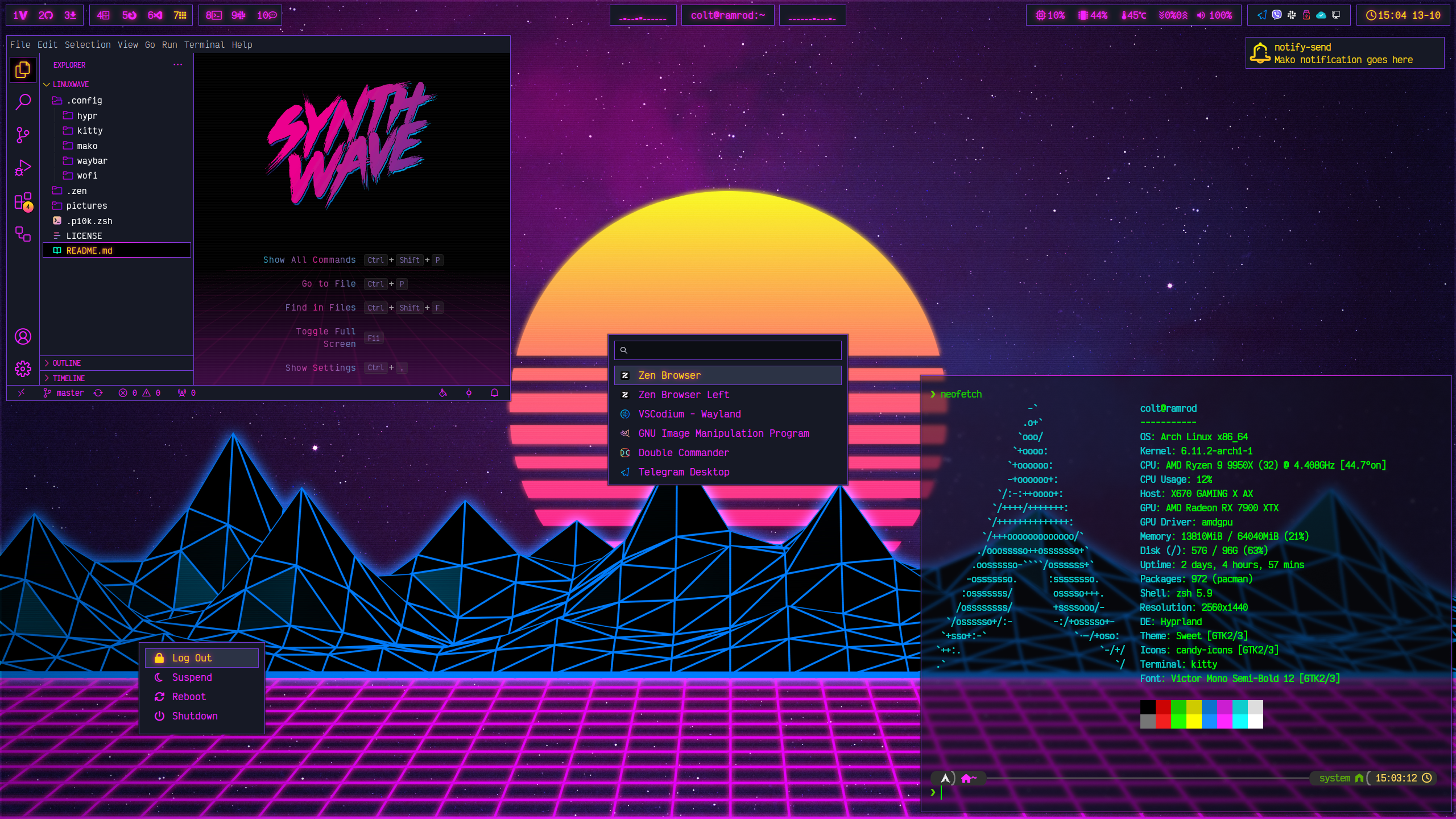
Session:
hyprland,hyprlock,hypridle,hyprpaper- compositor, lock, idle daemon, wallpaper.uwsm- session manager. Everything is autostarted withuwsm app --, and the power menu logs out withuwsm stop.waybar,wofi,mako,kitty.
Used by keybindings and Waybar modules:
grimblast- screenshots (Print, SUPER + SHIFT + S).cliphist+wl-clipboard- clipboard history (SUPER + V). Bothwl-paste --watchinstances are autostarted fromhyprland.lua.playerctl- media keys.wireplumber- volume keys and the Waybar volume module.pavucontrol- opened by clicking the Waybar volume module.network-manager-applet- tray applet.dolphin- file manager (SUPER + E).cava- Waybar audio visualizer.dool,iproute2andcoreutils- used bynetspeed.sh.zshandpython- the shipped scripts.
Fonts:
- Victor Mono - used everywhere. https://rubjo.github.io/victor-mono/
- A Nerd Font for the glyph icons in Waybar, Wofi and the power menu, e.g.
ttf-hack-nerd. Powerlevel10k additionally expects MesloLGS NF (ttf-meslo-nerd-font-powerlevel10k). - bargraph - used by the Waybar cava modules. Not packaged, install the TTF manually. CC BY-SA, by paul hunt: https://fontstruct.com/fontstructions/show/37128/bargraph
Themes:
candy-icons- Makoicon-path. https://github.com/EliverLara/candy-iconsbibata-rainbow-cursor-theme-XCURSOR_THEMEis set toBibata-Rainbow-Modern.qt6ct-QT_QPA_PLATFORMTHEME.
Optional:
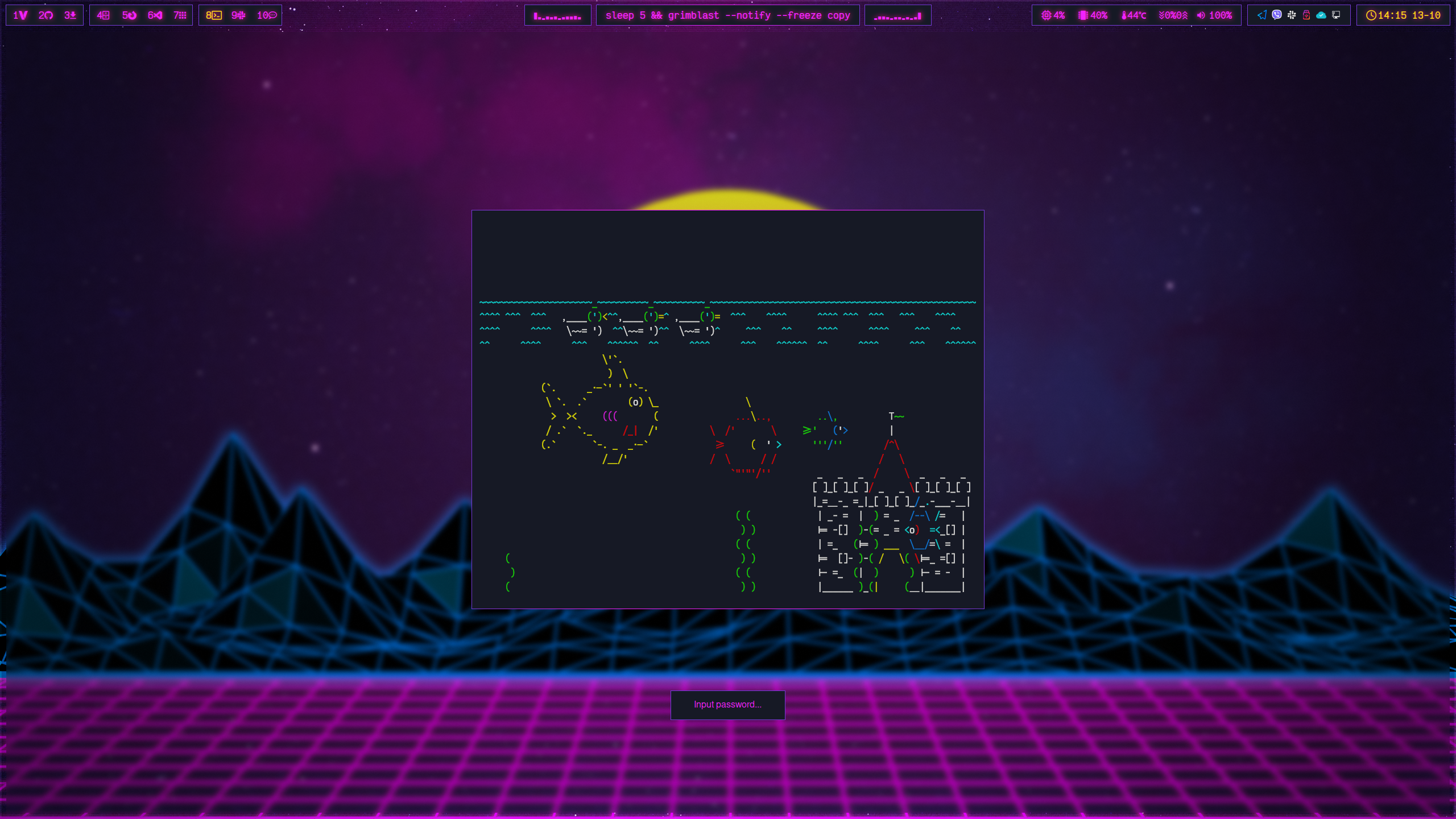
- hackerminal - runs behind the lock screen.
lock-hack.shexpects it at/opt/bin/hackerminal. https://github.com/coltwillcox/hackerminal
Info:
- Desktop starts locked:
~/.config/hypr/scripts/lock-hack.shis run on Hyprland startup, so the session comes up locked and needs a password before use. - Will use hypridle to lock with
~/.config/hypr/scripts/lock-hack.shafter 300 seconds of inactivity, and before sleep. Screens are turned off after 360 seconds. - Will use hyprlock to instantly lock with
~/.config/hypr/scripts/lock-hack.shon SUPER + L keypress. - When screen is locked, hackerminal will be run in a pinned kitty window (class
khackerminal), and closed when unlocked. - Hyprland runs with
session_lock_xray, so the desktop stays visible behind the lock surface and hackerminal shows through it. - Will use hyprpaper to set wallpaper.
Screens:
-
Hyprlock with hackerminal:
Links:
- Hyprland: https://github.com/hyprwm/Hyprland
- Hyprlock: https://github.com/hyprwm/hyprlock
- Hypridle: https://github.com/hyprwm/hypridle
- Hyprpaper: https://github.com/hyprwm/hyprpaper
- Candy icons: https://github.com/EliverLara/candy-icons
- Hackerminal: https://github.com/coltwillcox/hackerminal
- VS Code synthwave: https://marketplace.visualstudio.com/items?itemName=coltwillcox.synthwave-x-fluoromachine-contrast
Edit:
- File
.config/hypr/hyprland.lua, changeDP-2to correct monitor/output. Find output info with command:hyprctl monitors. - File
.config/hypr/hyprpaper.conf, changeDP-2to correct monitor/output. Find output info with command:hyprctl monitors. - File
.config/hypr/hyprlock.conf, changeDP-2to correct monitor/output. Find output info with command:hyprctl monitors.
Info:
- Waybar theme that displays workspaces, current window title, audio visualizer, cpu, memory, temperature, network, volume, tray and clock.
Screens:
-
With candy-icons theme:

Links:
- Waybar: https://github.com/Alexays/Waybar
- Cava: https://github.com/karlstav/cava
- Dool: https://github.com/scottchiefbaker/dool
- Victor Mono font: https://rubjo.github.io/victor-mono/
Edit:
- File
.config/waybar/config, changeDP-2to correct monitor/output. Find output info with command:hyprctl monitors. - File
.config/waybar/config, changehwmon-path-absto your own temperature sensor. Find the righthwmonNwithgrep . /sys/class/hwmon/hwmon*/name, then get its stable path withdirname $(readlink -f /sys/class/hwmon/hwmonN). The/sys/class/hwmon/hwmonNnumbering is not stable across boots, so the absolute device path is used instead. - File
.config/waybar/scripts/netspeed.sh, setmax_downloadandmax_uploadto your own link or plan speed, they are only the scale of the displayed percentages. The interface is auto-detected from the default route, setinterfaceif you want to pin it to a specific one.
Info:
- Two configs,
configleftandconfigright, feeding thecustom/cavaleftandcustom/cavarightWaybar modules. They are identical except for the channel each one takes and the direction the bars are drawn in. - Output is
rawascii, so cava only emits bar heights. The purple to pink gradient is applied per character by.config/waybar/scripts/cava.sh, which is why the[color]section of the config is commented out. Both Waybar modules run that script, passing their cava config and the two gradient colors, and the right side passes them in reverse so the gradient runs outwards on both sides. - Bars are drawn with the bargraph font, see Dependencies.
Screens:
-
Visualizer in Waybar, on both sides of the window title:

Links:
- Cava: https://github.com/karlstav/cava
- bargraph font: https://fontstruct.com/fontstructions/show/37128/bargraph
Edit:
- Files
.config/cava/configleftand.config/cava/configright,barssets how many characters wide each side is, andnoise_reductionhow much the bars are smoothed, on a scale of 0 to 100. - File
.config/waybar/config, the two colors passed tocava.shin thecustom/cavaleftandcustom/cavarightmodules set the ends of the gradient.
Info:
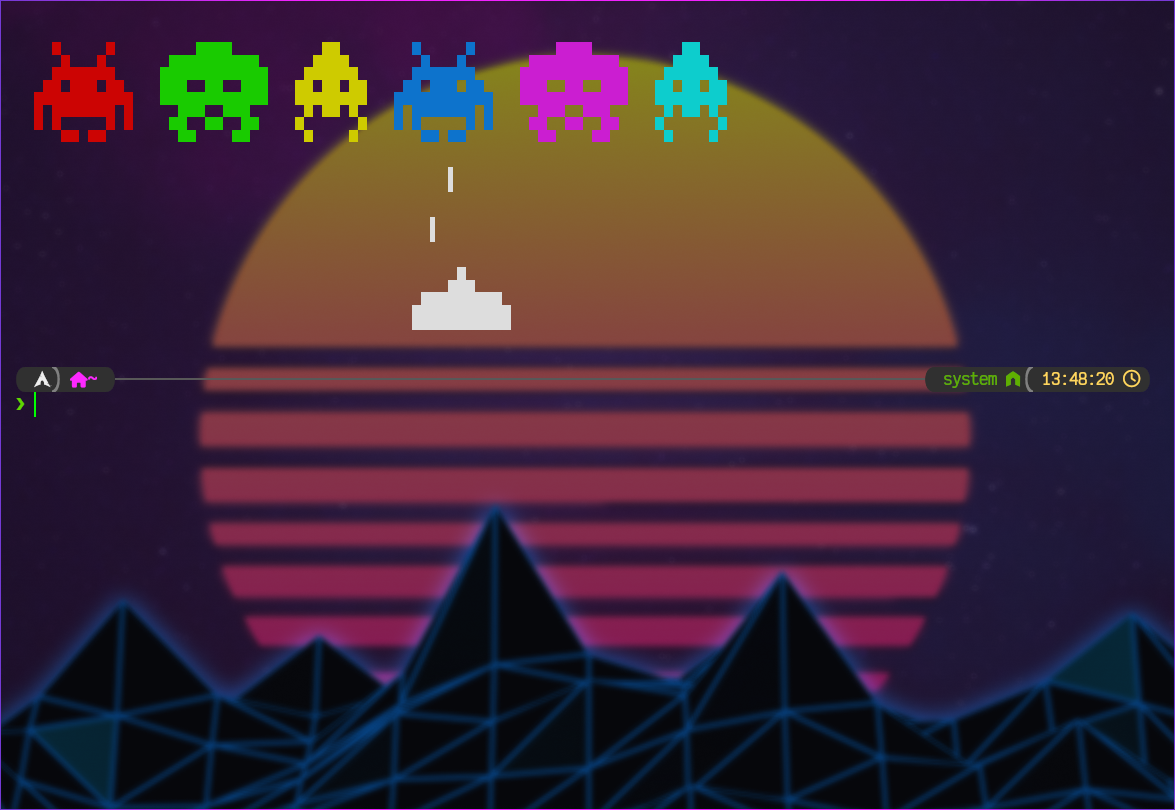
- Kitty theme, opaque black background with green foreground, Victor Mono font.
- File
diff.confholds the color scheme used bykitty +kitten diff.
Screens:
-
Kitty with Powerlevel10k prompt:
Links:
Edit:
- None.
Info:
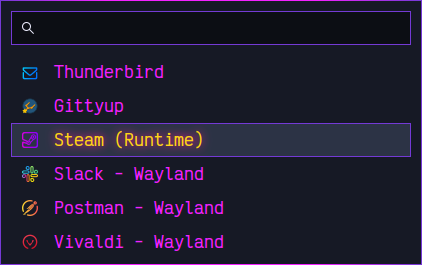
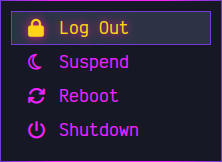
- Wofi theme with additional python script
power.pyfor power menu.
Screens:
-
Applications and power menu:
Links:
Edit:
- File
.config/wofi/scripts/power.py, changeDP-2to correct monitor/output. Find output info with command:hyprctl monitors' - File
.config/wofi/scripts/power.pyoptionally uncommentHibernatelines. Also bumplinesin.config/wofi/config_nosearchto match the number of entries, otherwise the menu scrolls instead of showing them all.
Info:
- Mako theme.
Screens:
-
With candy-icons theme:

Links:
Edit:
- File
./config/mako/configoptionallyicon-pathline.
Info:
- Powerlevel10k theme.
Screens:
-
With kitty theme:
Links:
- Powerlevel10k: https://github.com/romkatv/powerlevel10k
Edit:
- None.
Info:
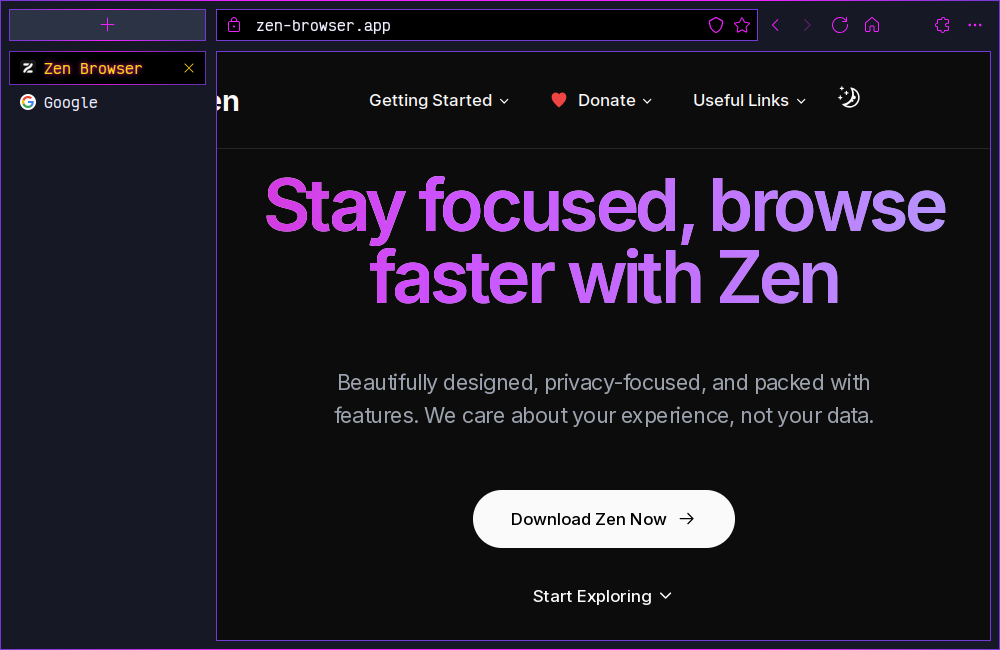
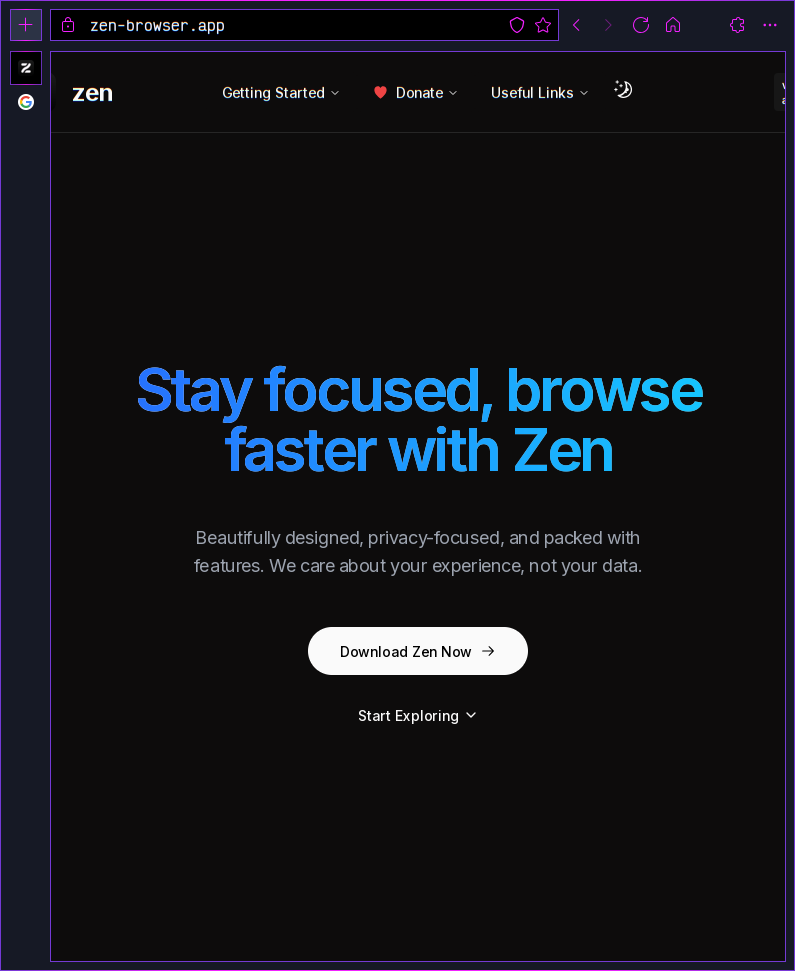
- Zen Browser CSS customizations.
Screens:
-
Horizontal & vertical:
Links:
- Zen Browser: https://zen-browser.app
Edit:
- Copy *.css files from profile or profile-vertical folder, depending on screen orientation.
Info:
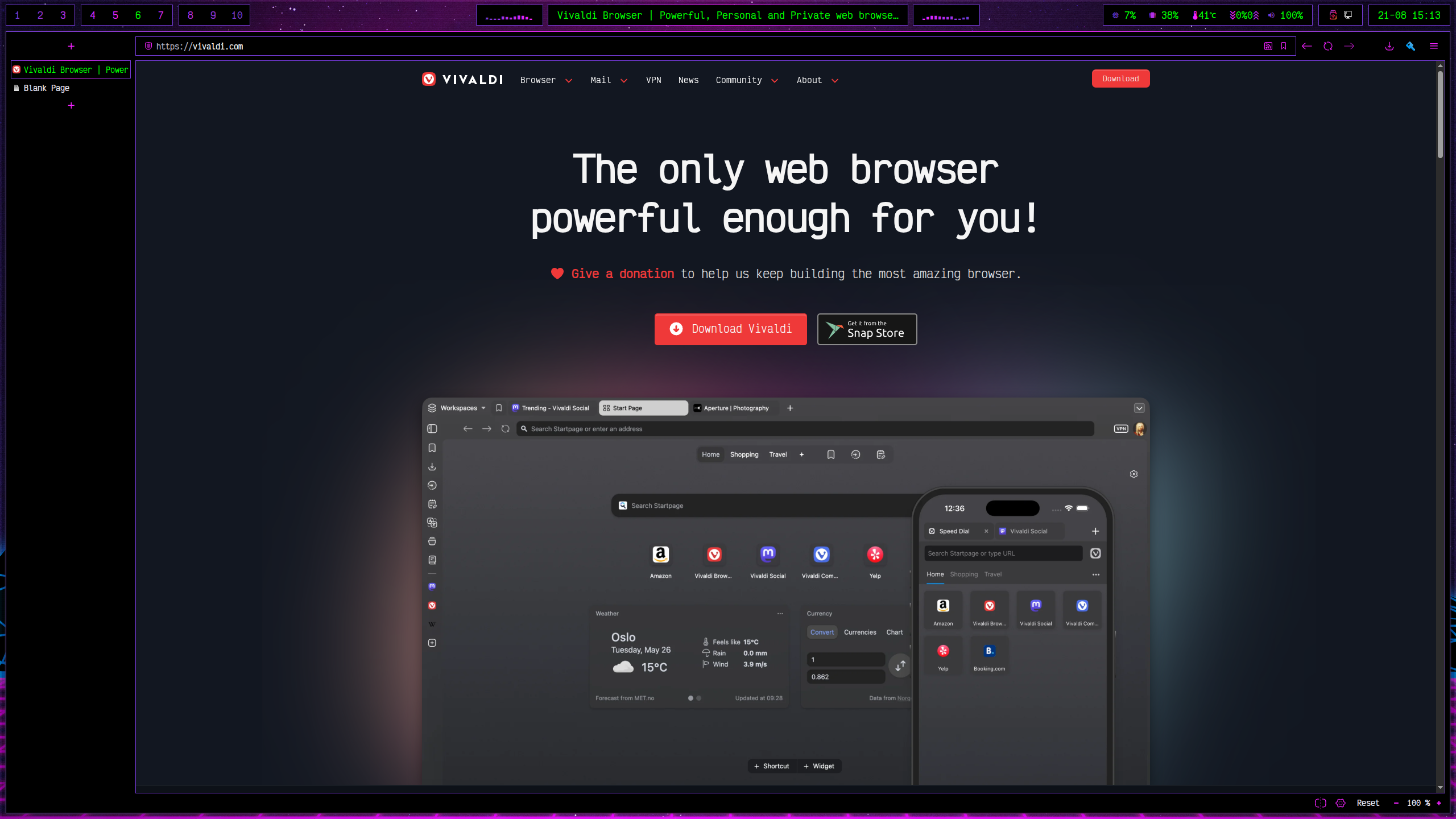
- Vivaldi CSS customizations and a matching theme, covering the tab strip, address bar, find bar, menus, tooltips and toolbar icons.
Screens:
-
With Synthwave theme and CSS:
Links:
- Vivaldi: https://vivaldi.com
Edit:
- Copy
CSS/synthwave.csssomewhere, then point Settings > Appearance > Custom UI Modifications at the folder holding it. - Import
themes/synthwave.zipfrom Settings > Themes. - File
CSS/synthwave.css, keep--tabbar-widthequal tovivaldi.tabs.bar.widthinDefault/Preferences. Drag-resizing the tab bar rewrites the preference but not the CSS, and the address bar then stops lining up with the page.