Linux console font editor and changer — a text-mode (ncurses) bitmap font editor for VGA console fonts. Written in 1998 as my first C program, modeled after an earlier MS-DOS font editor I wrote in Pascal.
Back when BBSs were the craze, swapping your console font was half the fun — easier on the eyes for long sessions, and a chance to give the screen a unique look.
Pixel editor on the left, full 256-character table in the center, and key bindings on the right.
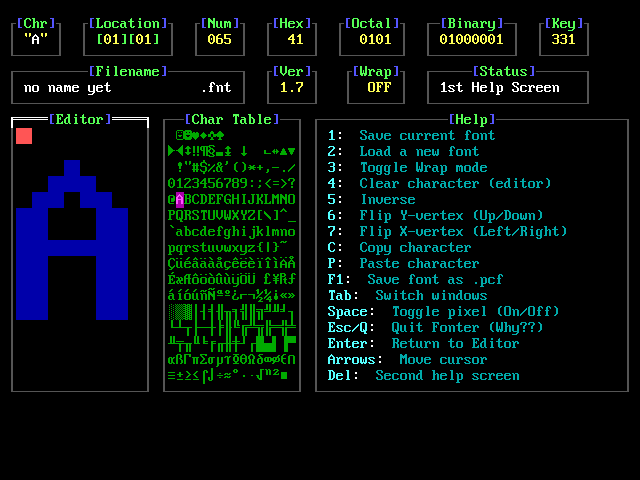
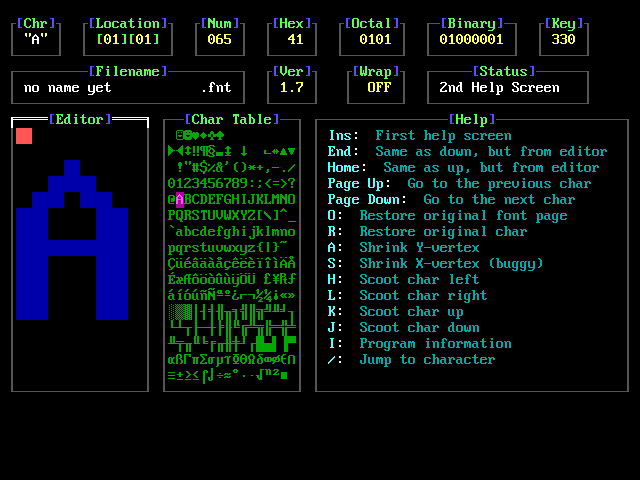
Additional editing commands (restore, shrink, scoot, jump, and more).
- Save and load
.fntfiles; save.pcffonts for X - Clear, inverse, and flip characters on X/Y
- Copy and paste characters
- Restore the original font page or current character
- Shrink and scoot characters left/right/up/down
- Jump to a character by index
- Live console font updates via ioctl (inspired by
setfont)
makeRun from a Linux virtual console (not under X/Wayland). Options:
fonter [OPTIONS]...

  -n    Skip color detection at startup
  -a    Don't use high ASCII, just low
  -f    Don't use fading effects
  -s    Don't update characters immediately (not advised)
  -c    Don't use colors
  -d    Print last revision date
  -h    Help
See docs/ for copyright, font credits, known bugs, and notes. There is no warranty.
Happy Fonting,
Chris