


ProLiant CLI is a terminal CLI tool for HPE ProLiant server environments. It lets you retrieve and inspect server inventory and details across HPE ProLiant iLO, Compute Ops Management (COM), and Synergy OneView — and includes built-in tools to browse HPE Service Pack for ProLiant (SPP) release contents directly from the terminal.
Whether you manage a handful of bare-metal servers or a large fleet across multiple management platforms, ProLiant CLI gives you a single consistent interface. Query firmware versions across hundreds of iLO nodes in seconds, browse your Compute Ops Management device inventory, or inspect servers managed by HPE Synergy OneView.
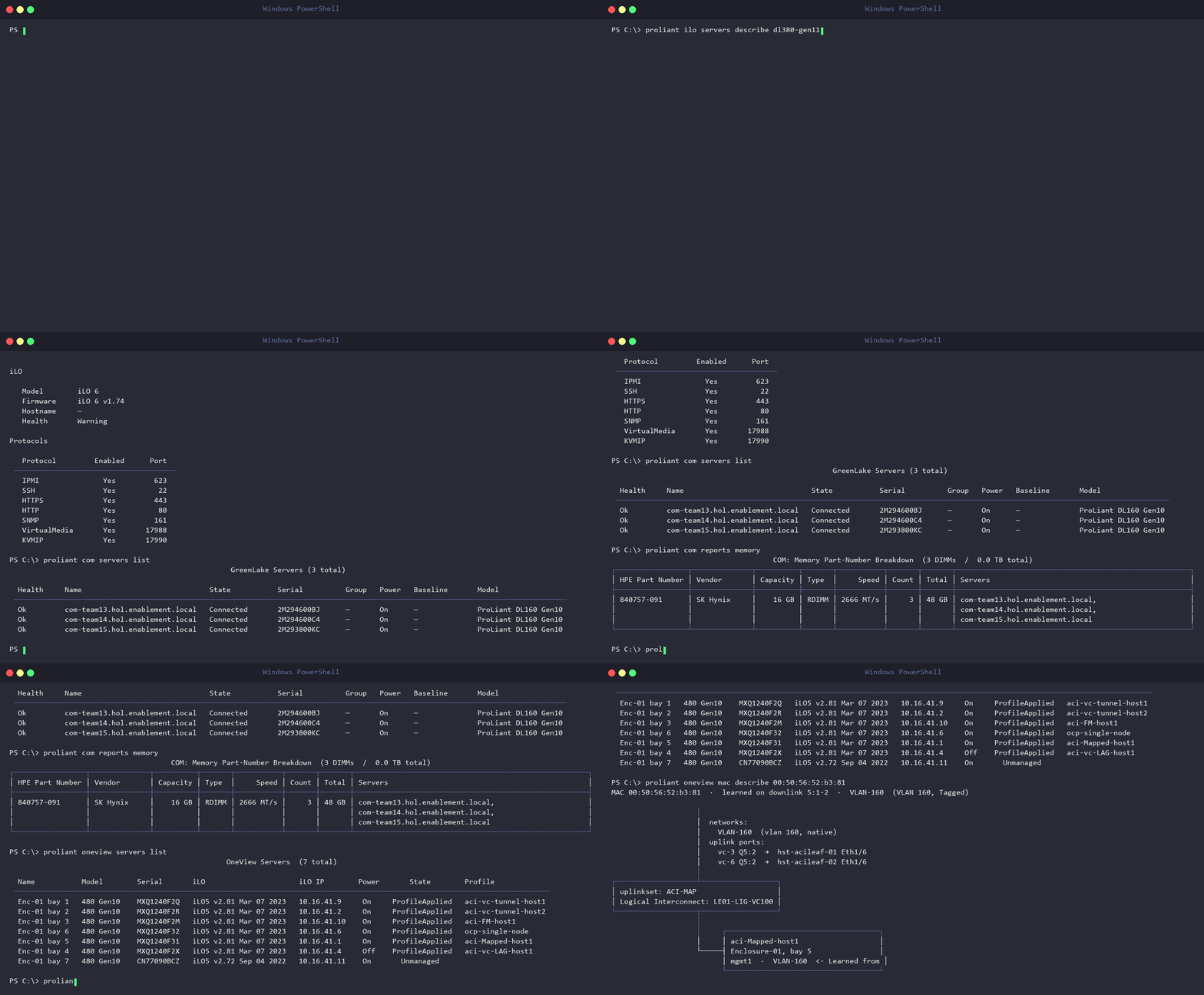
Note: An independent project (not an official HPE tool), built with GitHub Copilot. Read-only commands are safe to explore — use caution with real hardware state change.
Download setup.exe:

Or run the one-liner installation script in Windows Terminal or PowerShell — it downloads and launches the GUI installer.
Invoke-RestMethod https://raw.githubusercontent.com/hjma29/proliant-cli/main/install.ps1 | Invoke-Expressionsh -c "$(curl -fsSL https://raw.githubusercontent.com/hjma29/proliant-cli/main/install.sh)"
proliant ilo <resource> <action>      # Direct iLO Redfish management
proliant com <resource> <action>      # HPE Compute Ops Management
proliant oneview <resource> <action>  # HPE OneView management
proliant spp <action>                 # HPE Service Pack for ProLiant (SPP)
Run proliant setup to manage your local inventory file — a guided menu to view, add, edit, or delete iLO servers (and, optionally, OneView appliances).
proliant setupproliant ilo servers list
proliant ilo servers describe <server name>
proliant ilo storage list
proliant ilo storage describe <server name>
proliant ilo network list # fleet-wide host NIC ports: location, port, MAC, link status
proliant ilo network describe <server name> # full per-adapter, per-port detail (MAC, link, speed, LLDP neighbor)
proliant ilo network-ilo list # iLO's own dedicated management NIC across the fleet
proliant ilo network-ilo describe <server name> # DHCP/static, IP, DNS, routes, LLDP, MAC for one iLO
proliant ilo network-ilo set static <server name> ... # configure iLO's own NIC (was: `network set`)
[snip]proliant com login
proliant com whoami
proliant com servers list
proliant com servers describe <server name>
proliant com storage list # fleet-wide RAID controller + disks behind it / direct-connected (no iLO reachability/creds needed)
proliant com storage describe <server name> # full per-controller, per-disk detail for one server
proliant com network list # fleet-wide host NIC ports (no iLO reachability/creds needed)
proliant com network describe <server name> # full per-adapter, per-port detail for one server
proliant com reports gpu
proliant com reports memory
[snip]proliant oneview networks list # logical fabric networks (ethernet networks)
proliant oneview networks describe <name>
proliant oneview storage list # fleet-wide RAID controller + disks behind it / direct-connected
proliant oneview storage describe <server name> # full per-controller, per-disk detail for one server
proliant oneview network list # physical host NIC ports: location, port, MAC, link status
proliant oneview network describe <server name> # full per-adapter, per-port detail for one server
proliant oneview uplinksets list
proliant oneview uplinksets describe <name>
proliant oneview server-profiles list
proliant oneview server-profiles describe <name>
proliant oneview server-profiles reapply <name> # push the profile's stored config back onto its hardware
proliant oneview server-profiles reapply <name> --yes # skip the type-to-confirm prompt
# Same effect as the GUI's 'Reapply configuration' action -- clears alerts like "Reapply the
# server profile" (e.g. after a hardware re-insertion or eFuse) without changing any setting.
proliant oneview server-profiles update <name> # roll out an SSP firmware baseline to one profile's compute module
proliant oneview server-profiles update <name> --yes # skip the confirm prompt
# Shows the plan, then prompts with a plain yes/no confirmation before applying
# (power-cycles that one server). Same engine as `update enclosure --scope profiles-only`,
# narrowed to a single named profile -- use this to bring one server current (e.g. after an
# eFuse/reapply) without touching its enclosure's shared infrastructure or any other profile
# under the same LE.
proliant oneview power shutdown profile <name> # graceful shutdown via assigned server hardware
proliant oneview power off server "Enclosure-01, bay 6" # force power off server hardware
proliant oneview power on server --enclosure Enclosure-01 --bay 6
proliant oneview power on server --all --yes # every server in the appliance
proliant oneview power on server --all --enclosure Enclosure-01 --yes # every server in one enclosure
# --all is a bulk operation (on/off/shutdown); always requires --yes unless --dry-run.
proliant oneview efuse server "Enclosure-01, bay 6" --yes # hard eFuse power-cycle a Synergy bay
proliant oneview efuse profile <name> --yes # eFuse the server assigned to a profile
proliant oneview efuse interconnect "Enclosure-01, interconnect 6" --yes
proliant oneview efuse flm Enclosure-01 1 --yes # hard eFuse power-cycle a frame link module
proliant oneview mac list --address <mac>
proliant oneview mac list --network-name <name>
proliant oneview mac describe <mac>
proliant oneview interconnects list
proliant oneview interconnects describe <name> # ports, utilization, firmware baseline (matches GUI detail page)
proliant oneview appliances list # list configured appliances (* = active)
proliant oneview appliances describe [name] # appliance General page (HA nodes, memory, uptime, firmware)
proliant oneview firmware bundles # registered SPP/SSP baselines
proliant oneview compliance list # resource compliance vs latest SSP/SPP baseline
proliant oneview compliance list --baseline SY-2026.01.02
proliant oneview compliance describe aci-FM-host1 # per-component version comparison
proliant oneview release # HPE Synergy Software Releases matrix (Composer <-> recommended/supported SSP)
proliant oneview activity # recent tasks + alerts, newest first (mirrors the GUI Activity page)
proliant oneview activity --resource <name> --limit 30 # filter the feed to one resource (e.g. LE01, Enclosure-01)
proliant oneview activity --state Error # only failed operations (or --tasks-only / --alerts-only)
proliant oneview activity --tree --resource LE01 # expand one operation's subtask tree (per-interconnect phase/percent)
proliant oneview activity --watch --resource LE01 # live-follow a running operation until it finishes (the GUI Activity view)
proliant oneview update enclosure # no NAME -- interactive step-by-step wizard (numbered menus; 'b' back, 'c' cancel)
proliant oneview update enclosure <LE-name> # plan an SSP rollout to one logical enclosure (shared infra only)
proliant oneview update enclosure <LE-name> --baseline <ssp> --scope shared-infra-and-profiles
# --scope shared-infra updates frame link modules + interconnects only (default)
# --scope shared-infra-and-profiles also updates every server profile in this enclosure's compute modules
# --scope profiles-only updates just the server profiles' compute firmware, skips the LE/interconnect
# step entirely (no GUI equivalent) -- useful if shared infra is already current,
# or stuck/unverified and you don't want that blocking compute progress
proliant oneview update enclosure <LE-name> --execute # apply it (reboots interconnects, and compute if selected)
# The plan shows an OneView<->SSP compatibility note (per HPE's Synergy Software Releases matrix).
proliant oneview update enclosure <LE-name> --execute --activation-mode parallel
# --activation-mode orchestrated (default) one redundant side at a time, non-disruptive -- requires real redundancy
# --activation-mode parallel flashes every interconnect at once regardless of redundancy (disruptive;
# the only way to force firmware onto a genuinely non-redundant fabric)
proliant oneview update enclosure <LE-name> --execute --scope shared-infra-and-profiles --concurrency 3
# --concurrency N (default 1) run up to N server-profile firmware updates at once instead of one at a time;
# N compute modules power-cycle simultaneously -- no official HPE tool (GUI,
# PowerShell, Python SDK, Ansible) does this in bulk either, so default stays 1
proliant oneview update appliance readiness # pre-upgrade readiness report
proliant oneview update appliance run --from-dir <dir> # pick + stage an appliance software update
proliant oneview update appliance run --image <file> --execute # stage + install (reboots the appliance)
proliant oneview update appliance pending # show the currently staged update
proliant oneview update appliance cancel --yes # remove a stuck staged update
proliant oneview update appliance cleanup # preview unused firmware baselines to free diskproliant spp list
proliant spp inspect <version>
proliant spp diff <version1> <version2> proliant version # Show installed version; offers to upgrade if a newer release exists