FormatLab is a fast desktop video converter and audio converter for Linux and Windows. Convert MP4, MKV, MOV, AVI, WebM, MP3, FLAC, WAV and 40+ other formats with GPU-accelerated encoding, batch conversion and drag-and-drop — no ads, no watermarks, no upload to a cloud server. Everything is converted locally on your own machine.
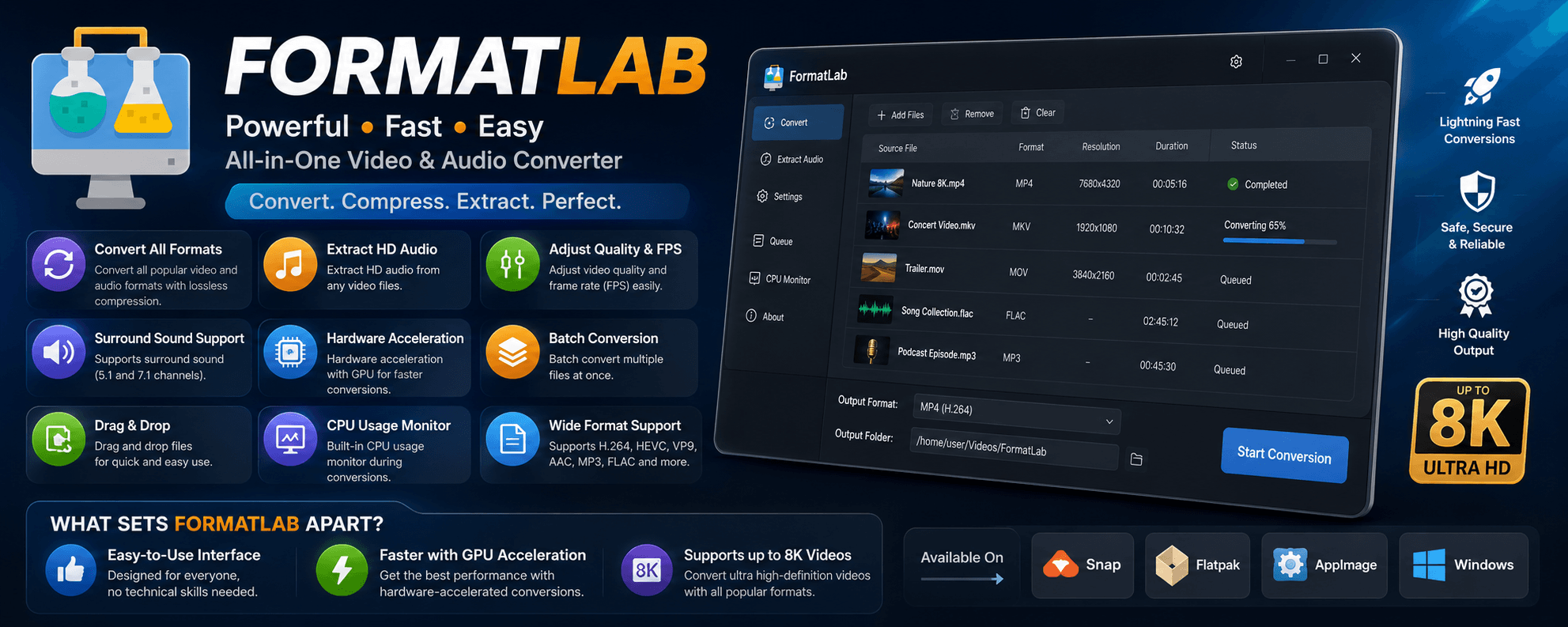





Used by 76,000+ people on Flathub alone.
- Download and install
- Why use FormatLab
- Supported formats
- Common conversions
- Screenshots
- System requirements
- FAQ
- How FormatLab compares
- More apps




sudo snap install formatlabflatpak install flathub com.warlordsoftwares.formatlabwget https://github.com/rishabh3354/FORMAT_LAB/releases/latest/download/FormatLab-x86_64.AppImage
chmod +x FormatLab-x86_64.AppImage
./FormatLab-x86_64.AppImageDownload FORMAT_LAB.exe from the latest release and run the installer. Windows 10 and Windows 11 (64-bit) are supported.
- Convert video and audio between every popular format — MP4, MKV, MOV, AVI, WebM, MP3, FLAC, WAV, AAC and more, with modern, widely supported codecs.
- Hardware-accelerated GPU encoding — NVIDIA, AMD and Intel GPUs make large conversions dramatically faster than CPU-only tools.
- Batch convert whole folders — queue dozens of files and convert them in one run instead of one at a time.
- Extract audio from video — pull a clean MP3, FLAC or WAV track out of any MP4, MKV or MOV file.
- Compress video without wrecking quality — shrink 4K and 1080p files by choosing bitrate, CRF quality and frame rate.
- Up to 8K resolution — handles UHD and high-frame-rate source material.
- Surround sound preserved — full 5.1 and 7.1 channel support instead of a forced downmix to stereo.
- Drag and drop — drop files straight onto the window to queue them.
- Built-in CPU monitor — watch load in real time so a long encode does not freeze the rest of your desktop.
- Runs completely offline — your files never leave your computer, unlike browser-based online converters with upload limits.
- No ads, no watermarks, no tracking.
| MP4 | MKV | MOV | AVI |
| WebM | WMV | FLV | MPEG |
| MPG | M2TS | 3GP | VOB |
| TS | OGV | F4V | MXF |
| ASF | HEVC | M2V | MTS |
| WTV |
| MP3 | AAC | WAV | FLAC |
| M4A | OGG | WMA | Opus |
| AIFF | DTS | AC3 | MP2 |
| VOC | RA | TTA | WV |
| CAF | M4R |
Video: H.264 / AVC, H.265 / HEVC, VP9, MPEG-4, MPEG-2 Audio: AAC, MP3, FLAC, Opus, Vorbis, AC3, PCM
FormatLab is built for the conversions people actually need every day:
| Task | What FormatLab does |
|---|---|
| Convert MKV to MP4 | Remux or re-encode MKV into a universally playable MP4 |
| Convert video to MP3 | Extract the audio track and save it as high-bitrate MP3 |
| Convert MOV to MP4 | Turn iPhone and camera MOV files into shareable MP4 |
| Convert AVI to MP4 | Modernise legacy AVI footage with H.264 or HEVC |
| Convert WebM to MP4 | Make downloaded WebM clips play in any editor or player |
| Convert MP4 to HEVC (H.265) | Cut file size roughly in half at the same visual quality |
| Convert FLAC to MP3 | Shrink a lossless music library for phones and car stereos |
| Convert WAV to MP3 | Compress raw recordings without noticeable quality loss |
| Compress a 4K video | Lower bitrate, resolution or frame rate to hit a target size |
| Extract audio from a video | Save MP3, FLAC, WAV, AAC or Opus from any video file |
| Change video frame rate (FPS) | Convert 60fps to 30fps, or match a project's timeline |
| Convert a whole folder at once | Batch queue every file and run them back to back |
| Video conversion options | Home screen |
|---|---|
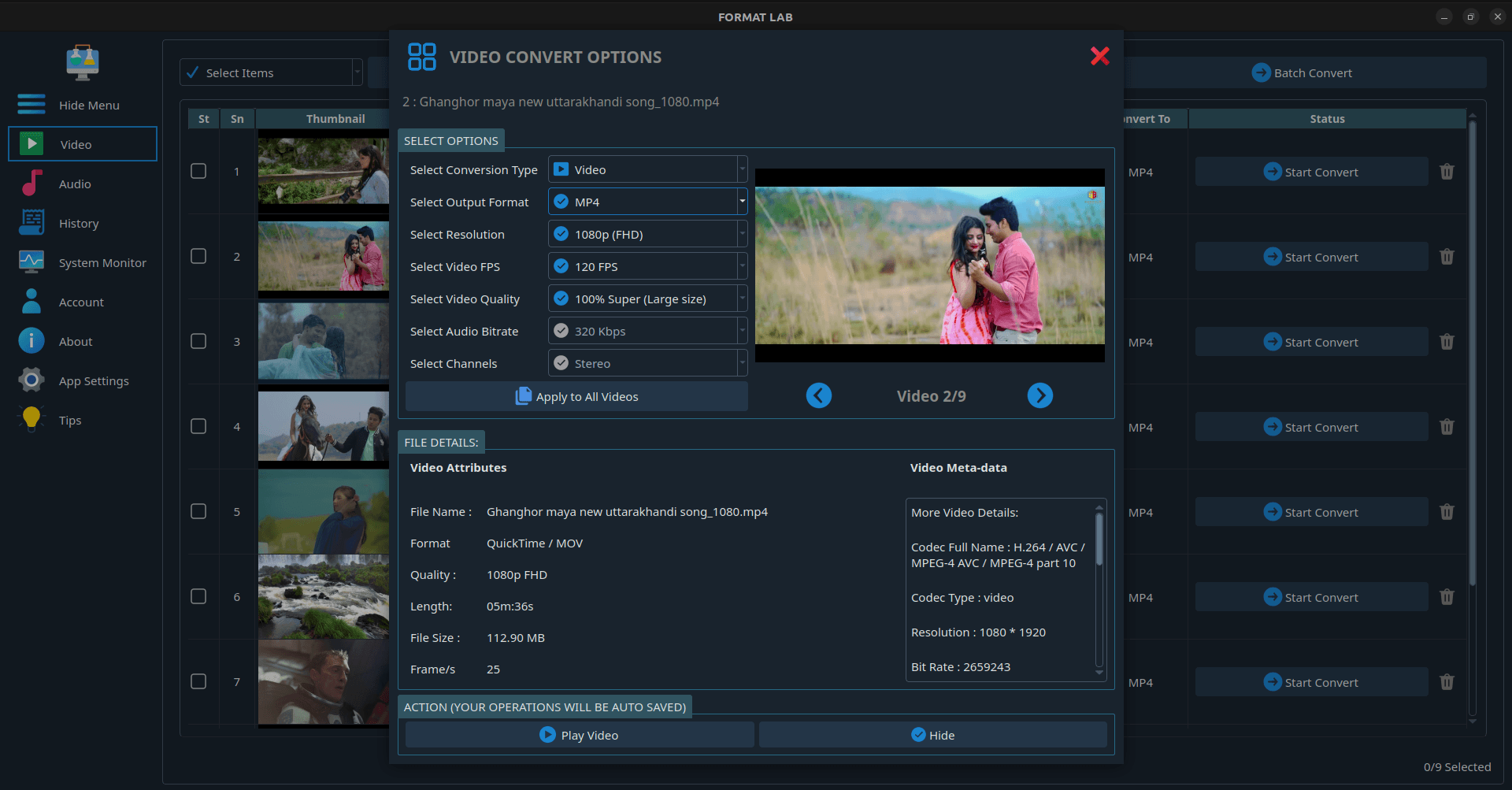 |
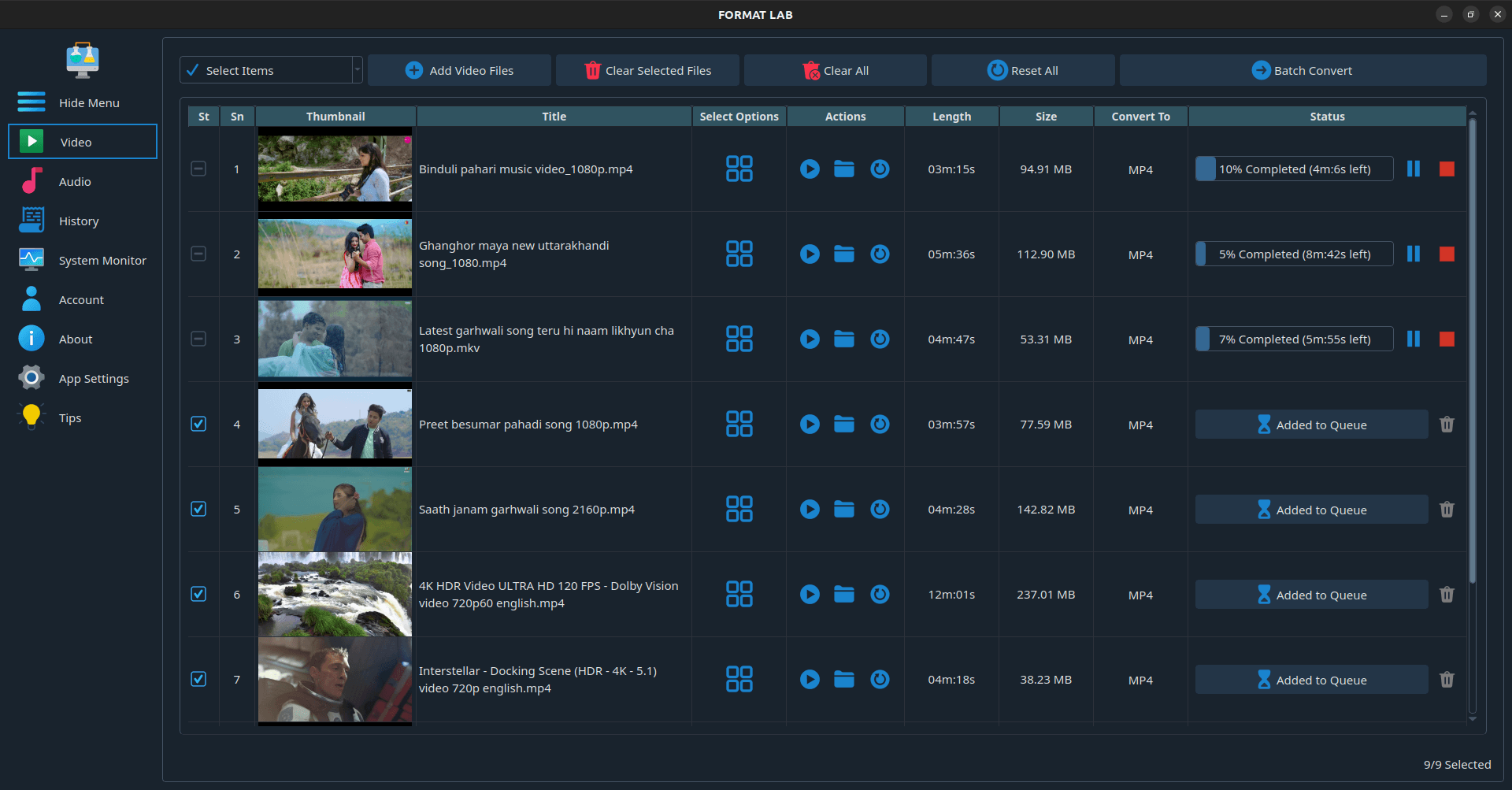 |
| Audio conversion options | Settings |
|---|---|
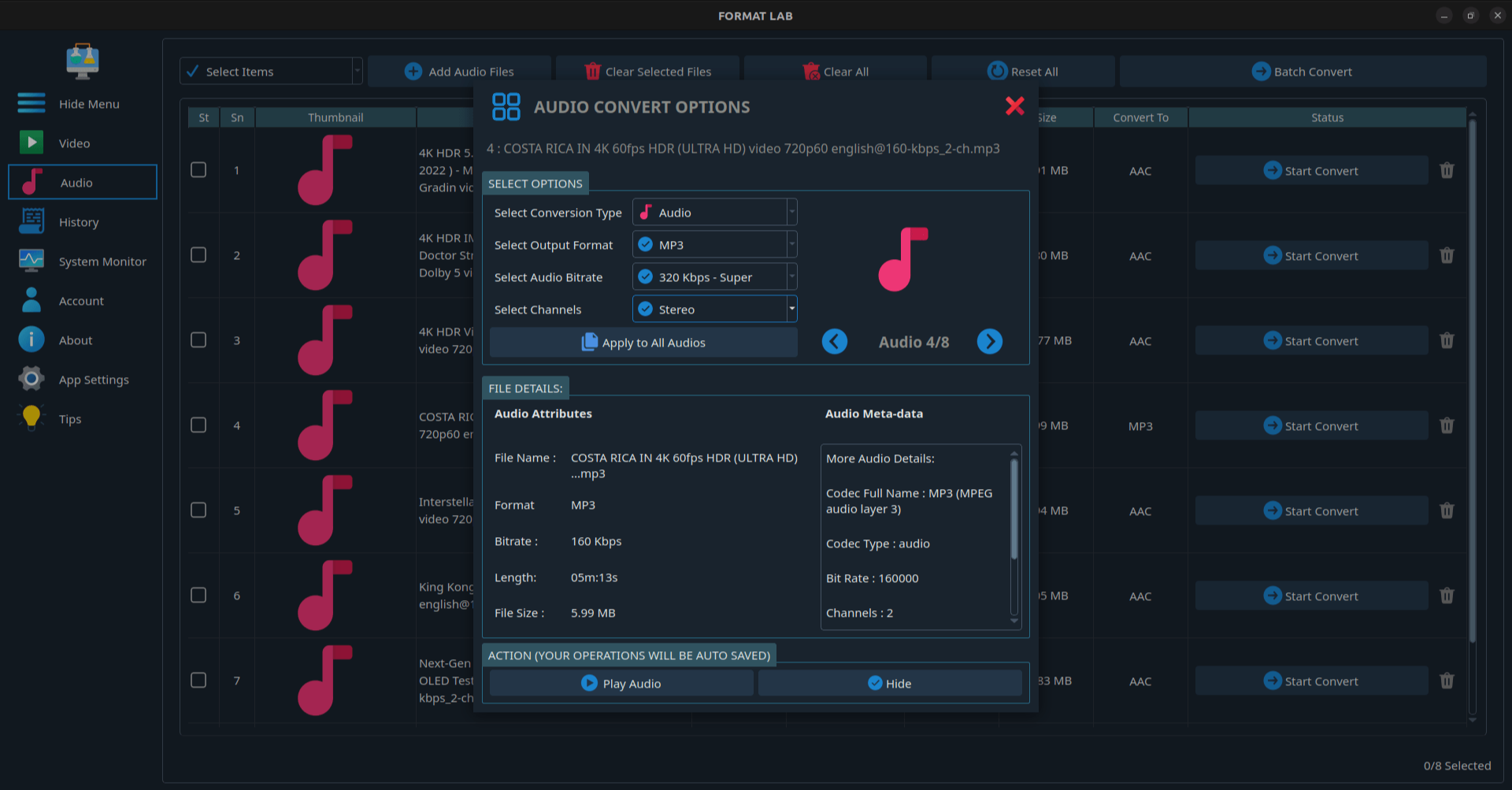 |
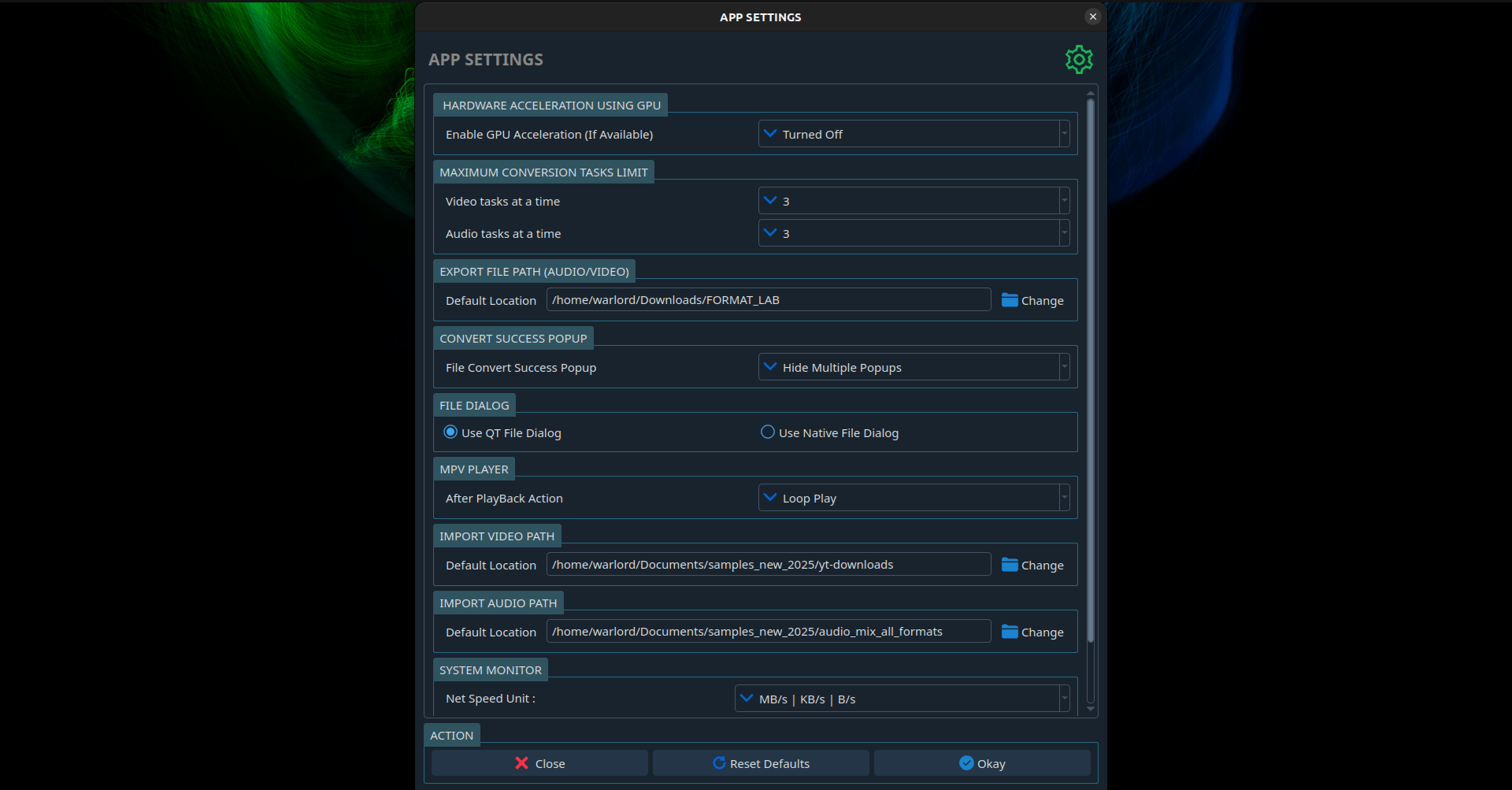 |
| Minimum | |
|---|---|
| Linux | Ubuntu 20.04+, Debian 11+, Fedora 36+, Arch, or any distro that runs Flatpak / Snap / AppImage |
| Windows | Windows 10 or Windows 11, 64-bit |
| Architecture | x86_64 |
| RAM | 4 GB (8 GB recommended for 4K) |
| GPU acceleration | Optional — NVIDIA, AMD or Intel GPU with current drivers |
FormatLab is free to download and use for everyday conversions. A one-time Pro upgrade unlocks unlimited batch queues and the full feature set — there is no subscription. See plans and pricing.
No. All conversion happens locally with FFmpeg on your own machine. There is no upload, no file-size cap and no server-side queue, so it works fine offline and with confidential footage.
Yes. Install it as a Snap, a Flatpak from Flathub, or a portable AppImage that runs on essentially any modern Linux distribution.
Yes. FormatLab handles up to 8K source files, and GPU acceleration keeps large UHD encodes practical.
Yes. Drag in a whole folder, set the output format once, and FormatLab converts the entire queue.
Yes. Multi-channel audio is preserved rather than downmixed to stereo.
Any lossy re-encode loses some quality. FormatLab exposes bitrate and quality controls so you can stay visually lossless, and format-only changes (for example MKV to MP4) can often be done without re-encoding the video stream.
No. FormatLab is a proprietary desktop application built on FFmpeg. This repository hosts the releases, packaging metadata, issue tracker and documentation rather than the application source.
Open an issue on this repository.
People usually land here after trying one of these:
- Online converters (Zamzar, CloudConvert, Online-Convert) — capped file sizes, slow uploads, and your media sits on someone else's server. FormatLab converts locally with no size limit.
- HandBrake — excellent and free, but focused on video transcoding with a dense interface. FormatLab covers audio formats too and aims for a simpler, faster workflow.
- Raw FFmpeg — maximum power, zero discoverability. FormatLab is a friendly front end over the same engine.
- Paid Windows converters (Movavi, VideoProc, Wondershare UniConverter, HitPaw) — subscription pricing and Windows-first support. FormatLab is a one-time purchase and treats Linux as a first-class platform.
Other apps by Warlord Softwares are listed on warlordsoftwares.com.
- 📄 Download page: rishabh3354.github.io/FORMAT_LAB
- 🌐 Website: warlordsoftwares.com
- 📦 Flathub: com.warlordsoftwares.formatlab
- 📦 Snap Store: snapcraft.io/formatlab
- 🐞 Issues: github.com/rishabh3354/FORMAT_LAB/issues
- 🔒 Privacy policy: privacy.html
FormatLab is proprietary software. © 2024–2026 Rishabh Bhardwaj / Warlord Softwares. See LICENSE.
FormatLab uses FFmpeg for media processing.