
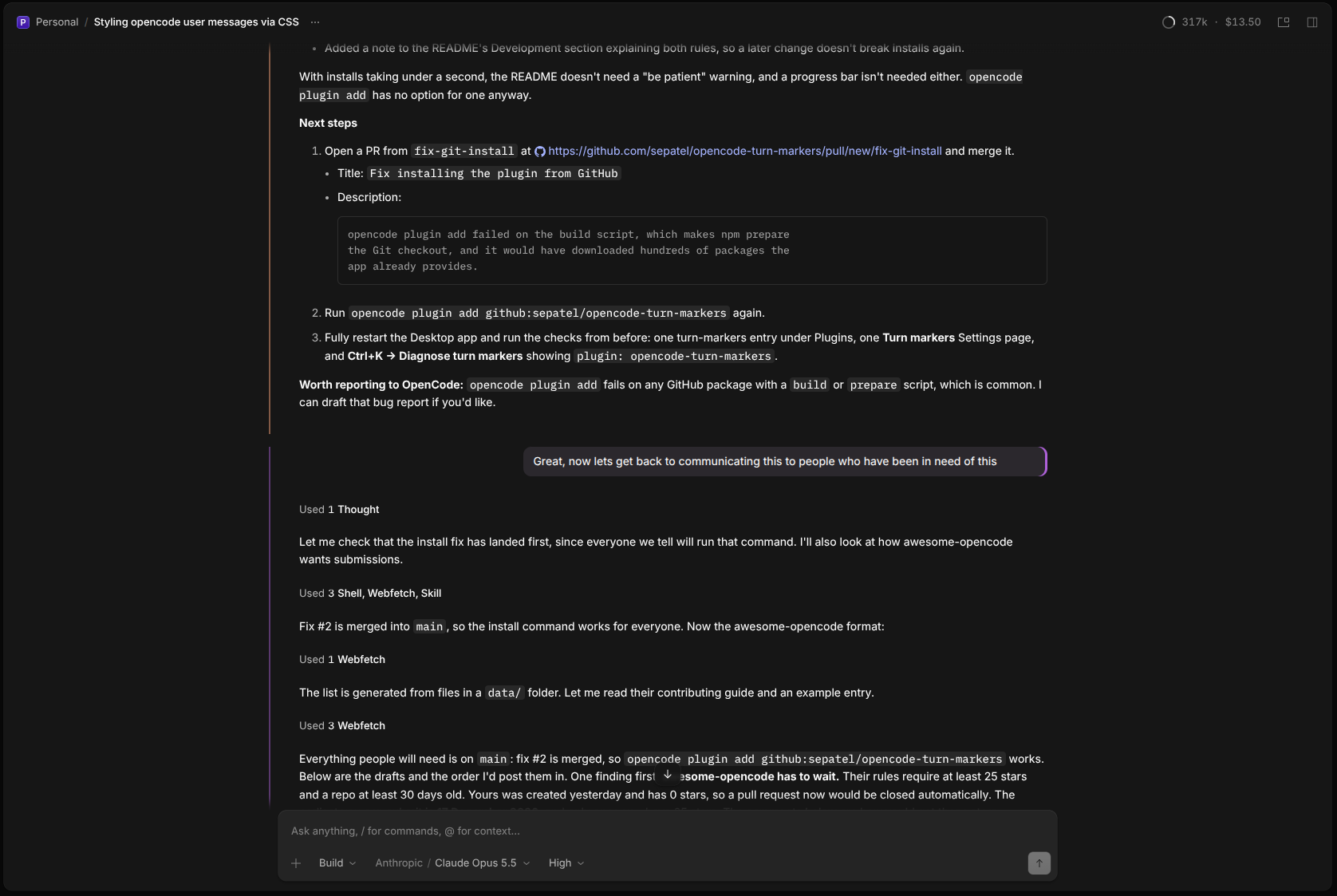
In a long session it's hard to see where one question's answer ends and the next question begins. This plugin marks each exchange in the OpenCode Desktop timeline:
- Question bubbles get a faint tint and a coloured stripe on one edge, at a width you choose.
- A side line runs down the left from each question to the end of its answer.
- Colours alternate between exchanges, so neighbouring exchanges are easy to tell apart.
Everything is adjustable in Settings → Turn markers.
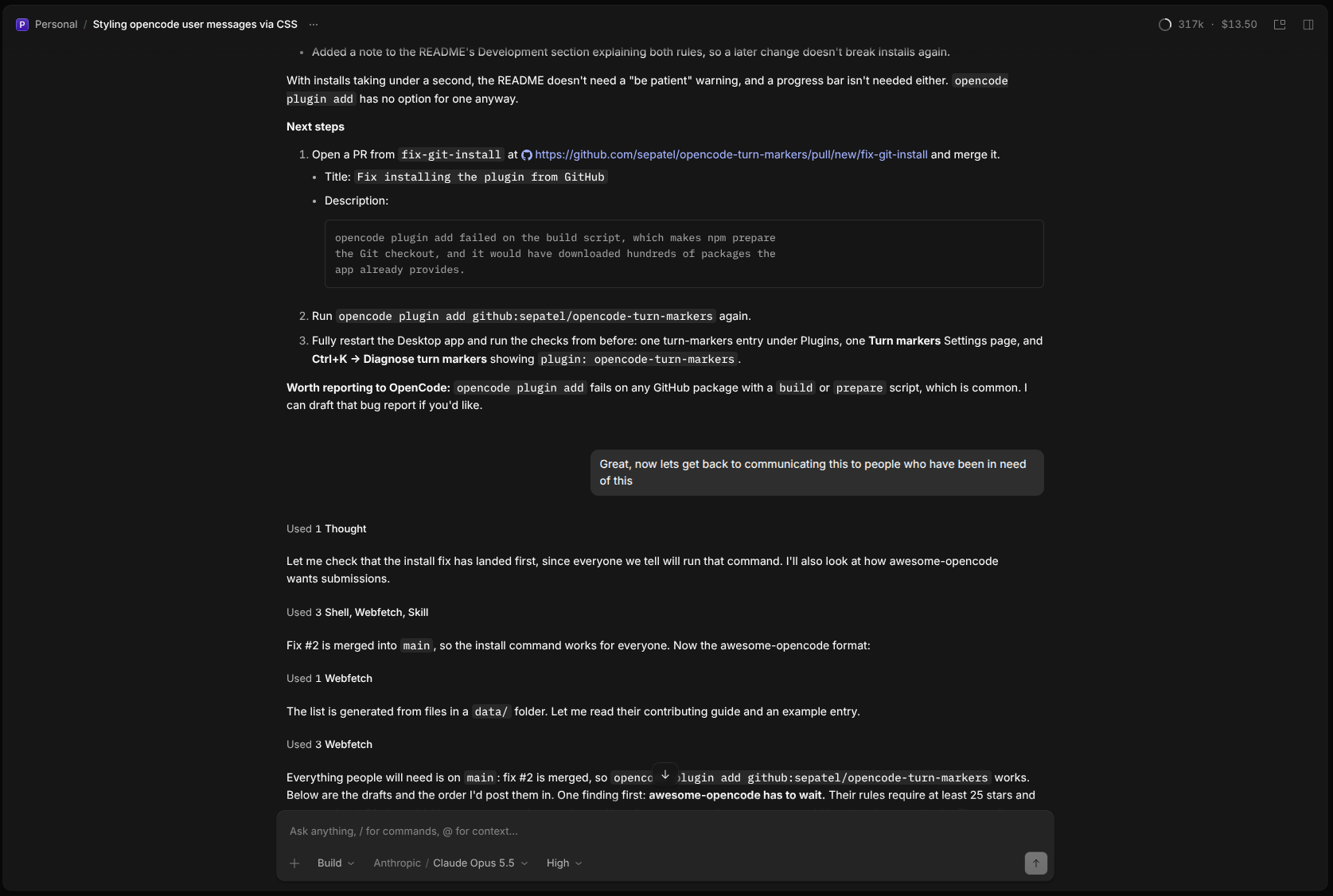
The same session without the plugin
Needs OpenCode Desktop 2.3 or newer. Check that the opencode command is 2.x too with opencode --version; the 1.x
command is opencode plugin <package>, and it can't install Desktop plugins. If yours is 1.x, install the 2.x command
following the OpenCode install guide (on Windows, npm install -g @opencode/cli), or
use the config method below.
opencode plugin add opencode-turn-markersThen fully quit OpenCode Desktop and reopen it. The plugin shows up under Settings → Extensions → Plugins, and its settings page under Settings → Turn markers.
Add the plugin to your global config, ~/.config/opencode/opencode.json (on Windows,
%USERPROFILE%\.config\opencode\opencode.json). Create the file if it doesn't exist:
{
  "$schema": "https://opencode.ai/config.json",
  "plugins": ["opencode-turn-markers"]
}
If the file already has a plugins list, add the entry to it. Then fully quit and reopen the Desktop app, which
installs the plugin on startup.
OpenCode checks for new versions but doesn't install them on its own. To get the latest:
opencode plugin update opencode-turn-markersThen fully quit and reopen the Desktop app. If you installed from GitHub before the plugin was on npm, use
github:sepatel/opencode-turn-markers in place of the package name.
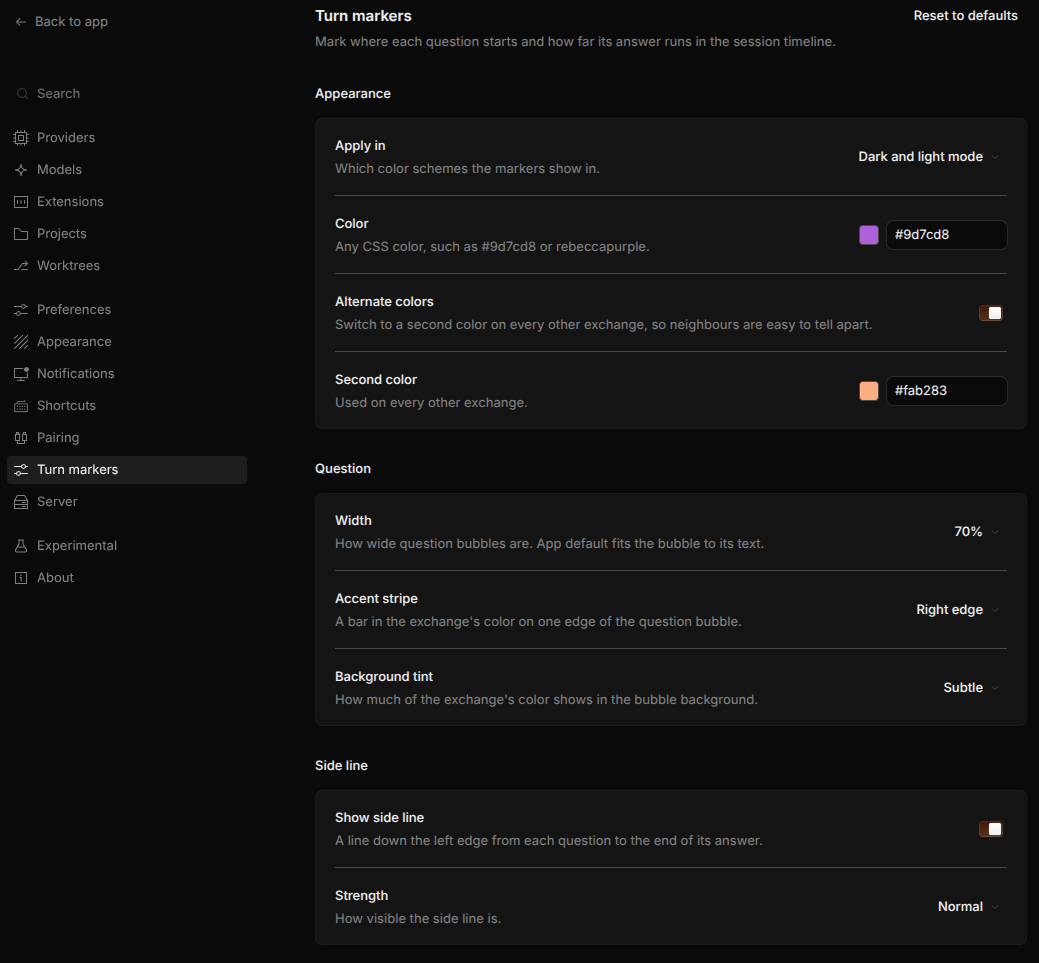
| Setting | Default | What it does |
|---|---|---|
| Apply in | Dark and light mode | Dark mode, light mode, or both |
| Color | #9d7cd8 |
Any CSS colour |
| Alternate colors | On | Use a second colour on every other exchange |
| Second color | #fab283 |
The colour for every other exchange |
| Width | 70% | Question bubble width, from the app default (fit to text) to full width |
| Accent stripe | Right edge | Right edge, left edge, or none |
| Background tint | Subtle | How much of the exchange colour shows in the bubble |
| Question text | App default | Text colour of your sent messages |
| Pending text | App default | Text colour of messages queued while the agent is still working |
| Show side line | On | The line from each question to the end of its answer |
| Strength | Normal | How visible the side line is |
Reset to defaults at the top of the page puts everything back.
The default colours come from opencode-cli-theme, which brings the OpenCode CLI's palette to the Desktop app, so the two look right together. The screenshots above use the app's default theme.
- The markers disappear after an OpenCode update. Fully quit and reopen the app once. If they're still missing, the app may have changed the internal names this plugin styles; please open an issue with your app version.
- Colours don't alternate. Open the command palette (Ctrl+K, or Cmd+K on macOS), run Diagnose turn markers, and include its output in an issue.
- To turn it off, use the switch in Settings → Extensions → Plugins, or run
opencode plugin remove opencode-turn-markers.
Tested with OpenCode Desktop 2.3.0 on Linux. It uses the Desktop's GUI plugin API, which OpenCode marks as experimental, and styles the timeline's internal markup, which can change between releases.
It doesn't apply to the web interface opened with opencode pair, which doesn't load Desktop plugins.
git clone https://github.com/sepatel/opencode-turn-markers.git
cd opencode-turn-markers
bun install
bun run dev        # rebuilds dist/ on every change
Point OpenCode at your checkout in ~/.config/opencode/opencode.jsonc, then restart the Desktop app once. After that,
each rebuild reloads the plugin in every window.
dist/gui-experimental.cjs is committed, because installing from GitHub doesn't run a build. Run bun run bundle and
commit the result with every change. bun run typecheck checks the types.
Keep the package free of runtime dependencies, and don't add build, prepare, prepack or install scripts. Any of
those makes npm prepare the Git checkout on install, which opencode plugin add can't do.
{
  "plugins": ["/path/to/opencode-turn-markers"],
}