
📈 Google Trends Real-Time API & Multi-Vertical Intelligence Suite: Web, YouTube, Shopping & Trending Now ($0.30 / 1K)


High-throughput Google Trends Real-Time API & 5-Engine Intelligence Suite on Apify ($0.30–$0.45 / 1,000 results). Extract real-time keyword interest over time, regional geo heatmaps, breakout related queries, 24h Trending Now news surges, YouTube video search trends, and Google Shopping product demand.
🚀 Try Live on Apify • ⚡ Official n8n Creator Hub • 🔧 39 Free n8n Templates • 📖 Documentation & Schemas • 📚 Engineering Playbooks

⚡ 1-Click Free Trial: Test live queries using Apify's `$5` free monthly credit • Zero login or cookies required
This repository contains ready-to-run Python SDK scripts, 9-node n8n automation workflow .json templates, AI Agent MCP configuration (.cursor/mcp.json), and sample output datasets (JSON & CSV):
- 🤖 Cursor, Windsurf & Claude Code MCP Ready: Includes
.cursor/mcp.jsonpre-configured withhttps://mcp.apify.comso AI coding agents can invoke these UnitBytes scrapers natively. - 💡 Using n8n? Explore our official creator profile at n8n.io/creators/unitbytes or copy all 39 pre-built 9-node scraping workflows (
Ctrl+V) at unitbytes.com/n8n. - 📚 Engineering Playbook: Read PyTrends Is Dead (HTTP 429): Google Trends API Pricing & 2026 Alternatives (
$0.30/1K) or browse all scraping & automation guides at unitbytes.com/blog.
Launch pre-configured extraction templates directly in the Apify Cloud Console with zero parameter setup:
| Task Preset | Target Extraction Use Case | Direct Launch |
|---|---|---|
| Trending Searches on Google Today | Access the latest trending Google searches for today. Receive real-time insights on popular queries and regional demand. | ⚡ Run Task Preset |
| Analyze Google Trends for Crypto & Stock Trading | Analyze trends for Bitcoin, Ethereum, Nvidia, S&P 500, and Gold over the past three months. Gain insights into regional interest and demand. | ⚡ Run Task Preset |
| Breakdown Google Search Trends for Local SEO | Breakdown keyword search interest by state, sub-region, or DMA region. Designed for local marketers and advertisers optimizing geographic ad targeting | ⚡ Run Task Preset |
| Extract Trending YouTube Search Keywords for Video SEO | Target YouTube searches specifically. Discover what queries are rising on YouTube to optimize video titles, tags, and production schedules. | ⚡ Run Task Preset |
| Validate Product Demand on Google Shopping for E-Commerce | Query Google Shopping trends to spot emerging product demand, validate dropshipping niches, and optimize inventory ad spend | ⚡ Run Task Preset |
| Map Competitor Brand Keywords & Related Topics | Scrape related search topics and keywords surrounding your brand or competitors to build comprehensive SEO semantic content maps | ⚡ Run Task Preset |
| Monitor Real-Time Google Trending Now Search Spikes & News Velocity | Capture live breakout search spikes across 100+ countries with traffic volume tiers, spike velocity percentages, and top news context. | ⚡ Run Task Preset |
| Find Breakout YouTube Video Keywords & Rising Search Topics | Extract YouTube-specific search interest timelines and +5,000% breakout queries (gprop=youtube) to plan high-CTR video titles and content calendars. |
⚡ Run Task Preset |
| Discover Breakout E-Commerce Products on Google Shopping Trends | Validate product demand curves, seasonal buying peaks, and breakout SKU queries on Google Shopping (gprop=froogle) before ordering inventory. |
⚡ Run Task Preset |
| Compare Brand & Competitor Interest Over Time | Track and compare multi-keyword historical search interest over 12 months to analyze market share, brand awareness, and seasonal peaks. | ⚡ Run Task Preset |
| Discover Rising & Breakout SEO Keywords with Google Trends | Extract breakout queries, surging search terms, and top related keywords for any seed topic to optimize content and SEO strategies. | ⚡ Run Task Preset |
| Analyze Geographic Search Demand by State & Region | Map search interest across US states, DMAs, or international regions to optimize geo-targeted Google Ads and local product launches. | ⚡ Run Task Preset |
| Monitor Real-Time Viral Search Trends & Breaking Topics | Fetch hourly breakout queries, viral news events, and real-time trending Google searches to power news feeds, alerts, and content ideas. | ⚡ Run Task Preset |
| Extract Semantic SEO Related Topics & Knowledge Entities | Discover related topical entities and concepts recognized by Google's Knowledge Graph to build topical authority and content clusters. | ⚡ Run Task Preset |
| Track YouTube Search Interest & Video Keyword Trends | Analyze video search behavior on YouTube specifically to discover video topics, tutorial demand, and creator content niches. | ⚡ Run Task Preset |
| Engine | Apify Actor Slug | Primary Use Case | Google Property (gprop) |
Bulk Capacity & Output Highlights | Starting Price |
|---|---|---|---|---|---|
| ⚡ Google Trends Fast API | unitbytes/google-trends-api |
Real-time keyword intelligence, automated pipelines & AI agents | Web, News, Images, YouTube, Shopping | scrape_type="all" unified multi-widget mode, 100+ bulk keywords (compare_keywords=false) |
$0.30 – $0.45 / 1K |
| 📊 Google Trends Historical Scraper | unitbytes/google-trends-scraper |
Longitudinal data science (2004–present), DMA/metro/city heatmaps | Web, News, Images, YouTube, Shopping | Custom date ranges, direct Google Trends URLs (trends_urls), CSV/Pandas-ready flat rows |
$0.30 – $0.45 / 1K |
| 🔥 Google Trending Now Scraper | unitbytes/google-trending-now-scraper |
Real-time 24h/48h/7d breakout search surges & news articles | Trending Now (trending_now) |
Search volume, volume_growth_pct, related breakout queries, and top news headlines |
$0.30 – $0.45 / 1K |
unitbytes/youtube-trends-scraper |
YouTube creator topic research, rising video keywords & velocity | YouTube Search (gprop="youtube") |
Rising (Breakout) vs. Top YouTube search queries, timeline interest, and regional demand |
$0.30 – $0.45 / 1K |
|
| 🛒 Google Shopping Trends Scraper | unitbytes/google-shopping-trends-scraper |
E-commerce product demand forecasting & seasonal winning products | Google Shopping (gprop="froogle") |
Product search velocity, regional buyer demand, and breakout product variations | $0.30 – $0.45 / 1K |
Extract real-time Google search trends, historical keyword interest, regional demand, and related queries without rate limits. Supports bulk keywords (up to 100), all-in-one multi-dataset runs, and flat JSON for AI Agents & MCP.
- Pricing:
$0.00045 / item(Pay-Per-Event —$0.00045result scraped (volume tiers from$0.0003)) - Cloud Console: https://apify.com/unitbytes/google-trends-api?fpr=939u3w&fp_sid=gh_gtrends_api
- Full Documentation & Schema: https://unitbytes.com/actors/google-trends-api/
- n8n Workflow File:
n8n/google-trends-api-n8n-workflow.json - Engineering Playbook: PyTrends Is Dead (HTTP 429): Google Trends API Pricing & 2026 Alternatives (
$0.30/1K)
- 5 Complete Endpoints in One Engine: Real-time trends, interest over time (historical), interest by region (sub-regions & cities), related queries, and related topics.
- Breakout Keyword Detection: Captures surging search queries marked as Breakout (+5000% growth) before they reach peak mainstream saturation.
- Flat Tabular CSV & Google Sheets Ready: Output is automatically normalized into clean rectangular rows, ready for immediate import into Excel, BigQuery, or Power BI.
- Zero Compute Fees (PPE): Built-in residential proxy rotation with zero compute time billing. Only pay for successful events extracted.
| Parameter | Type | Default / Prefill | Description |
|---|---|---|---|
scrape_type |
string |
interest_over_time |
Select the type of data to retrieve. 'All-in-One' extracts all 4 keyword datasets at once. 'Trending now' ignores keywords. |
keywords |
array |
["OpenAI", "ChatGPT"] |
Enter the terms you want to analyze (up to 5 when comparing on a shared scale, or up to 100 when 'Compare Keywords' is unchecked). REQUIRED for all types EXCEPT 'Trending now'. |
compare_keywords |
boolean |
True |
When enabled (default), up to 5 keywords are compared side-by-side on the same 0–100 scale. Uncheck to bulk-scrape large keyword lists (up to 100 keywords in one run), where each keyword is scored independently on its own 0–100 scale. |
trends_urls |
array |
— | Optionally paste trends.google.com/trends/explore or /trending URLs directly. Automatically extracts keywords (q), country/region (geo), timeframe (date), and search property (gprop). |
gprop |
string |
web |
Target specific Google search indexes: 'Google Shopping' for physical product demand, 'YouTube Search' for video creator trends, 'Image Search' for visual assets, 'News Search' for media spikes, or 'Web Search' (default). |
category |
integer |
0 |
Filter by Google Trends category ID (0 = All Categories, 3 = Arts & Entertainment, 5 = Computers & Electronics, 7 = Finance, 12 = Business & Industrial, 18 = Shopping, 45 = Health, 71 = Food & Drink). |
timeframe_type |
string |
predefined |
Choose between a predefined range (easier) or a custom specific range. |
predefined_timeframe |
string |
today 12-m |
Select a standard time window. |
custom_timeframe |
string |
2023-01-01 2023-12-31 |
Format: 'YYYY-MM-DD YYYY-MM-DD'. Example: '2023-01-01 2023-12-31'. Leave empty if using Predefined. |
geo_selection_type |
string |
Common Countries |
Choose how to specify the location. |
common_geo |
string |
US |
Select the country code. |
custom_geo_code |
string |
— | Specific code like 'US-NY' (New York) or 'US-CA' (California). |
output_format |
string |
flat |
Choose dataset output structure. 'legacy' preserves backward compatibility (single nested object). 'flat' outputs one record per data point (best for Excel, CSV, Google Sheets). |
geo_resolution |
string |
COUNTRY |
Level of detail for 'Interest by region'. |
inc_low_vol |
boolean |
False |
Get data even for regions with low search volume (slower). |
trending_language |
string |
en |
Language for 'Trending now' scrape type. |
trending_hours |
integer |
24 |
Hours back for 'Trending now' (Max 191). |
proxyConfiguration |
object |
{"useApifyProxy": true, "apifyProxyGroups": ["RE |
Crucial for avoiding Google blocks. Use Apify Proxy (Residential) for best results. |
from apify_client import ApifyClient

APIFY_TOKEN = os.getenv("APIFY_API_TOKEN", "YOUR_APIFY_API_TOKEN")
if not APIFY_TOKEN or APIFY_TOKEN.startswith("YOUR_"):
    raise SystemExit("Please set your Apify API token: export APIFY_API_TOKEN='apify_api_...'")

client = ApifyClient(APIFY_TOKEN)

run_input = {
    "keywords": ["OpenAI", "ChatGPT"],
    "custom_timeframe": "2023-01-01 2023-12-31",
    "common_geo": "US",
    "scrape_type": "interest_over_time",
    "compare_keywords": True,
    "gprop": "web"
}

run = client.actor("unitbytes/google-trends-api").call(run_input=run_input)

for item in client.dataset(run["defaultDatasetId"]).iterate_items():
print(item.get("geoName"), item.get("keyword"), item.get("value")){
"scrape_type": "interest_by_region",
"event_index": 1,
"error": false,
"keyword": "Coffee",
"geo": "US-NY-501",
"geoName": "New York NY",
"value": 100,
"max_value_index": 0
}Q: How is Google Trends API formatted for BI dashboards and SQL? Unlike nested raw widgets, Google Trends API flattens every time-series point, regional geo-score, and Breakout query into clean, root-level rows ready for BigQuery, Snowflake, Google Sheets, and n8n.
Q: What timeframes and granularities are supported? Supports real-time minute/hourly windows (now 1-H, now 4-H, now 1-d, now 7-d), 30/90-day windows, 12-month and 5-year curves, all-time 2004–present history, and custom YYYY-MM-DD date ranges.
Q: Does it support YouTube, Google Shopping, News, and Image Trends? Yes. Set the property parameter to web (default), youtube, froogle (Google Shopping), news, or images across 100+ country and metro codes.
Q: How fast does the API respond for automated pipelines?
Typical runs complete in 2 to 5 seconds with zero browser startup overhead, costing $0.00045 per record ($0.45 per 1,000 records).
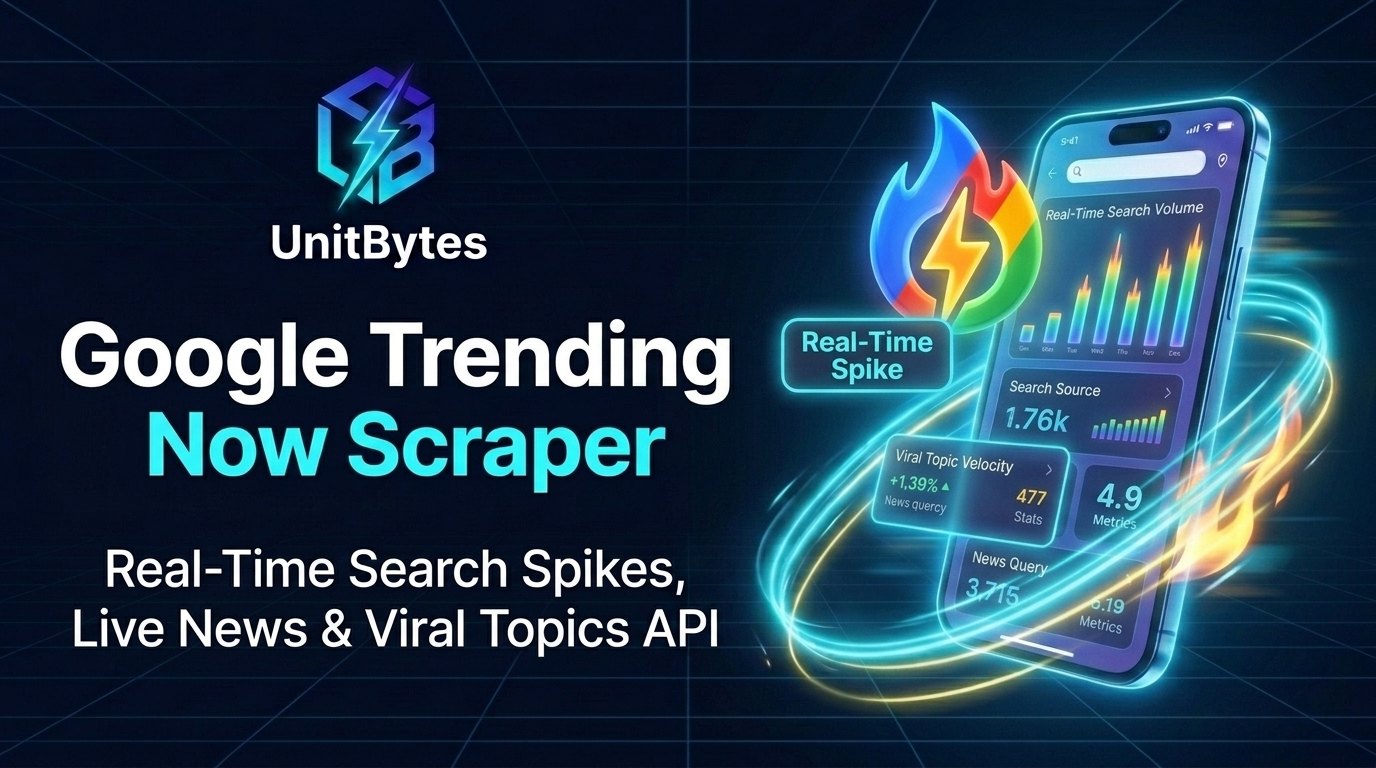
Extract real-time Google Trending Searches, breaking news spikes, search volumes, growth % (+5,000%), and news articles across 100+ countries. No keywords required—monitor 4h, 24h, 48h, or 7d viral trends in flat JSON or Excel/CSV.
- Pricing:
$0.00045 / item(Pay-Per-Event —$0.00045result scraped (volume tiers from$0.0003)) - Cloud Console: https://apify.com/unitbytes/google-trending-now-scraper?fpr=939u3w&fp_sid=gh_gtrends_api
- Full Documentation & Schema: https://unitbytes.com/actors/google-trending-now-scraper/
- n8n Workflow File:
n8n/google-trending-now-scraper-n8n-workflow.json - Engineering Playbook: PyTrends Is Dead (HTTP 429): Google Trends API Pricing & 2026 Alternatives (
$0.30/1K)
- Primary Trending Term: The breakout topic or event.
- Context News Articles: Headlines, publishers, timestamps, and direct article URLs explaining why the topic is trending.
- Past 24 Hours: The complete daily trending digest for newsletters, content calendars, and morning briefings.
- Estimated Search Volume: Real search volume scale (e.g., 1,000,000+, 200,000+, 50,000+).
| Parameter | Type | Default / Prefill | Description |
|---|---|---|---|
common_geo |
string |
US |
2-letter ISO country code (e.g. 'US', 'GB', 'DE', 'FR', 'CA', 'AU', 'IN', 'BR', 'JP') or full country name (e.g. 'United Kingdom', 'Germany'). |
custom_geo_code |
string |
— | Optional state or region code such as 'US-CA' (California) or 'US-NY' (New York). Leave empty for nationwide trends. |
time_window |
string |
24h |
Select how far back to capture trending searches and breaking spikes. |
trending_language |
string |
en |
Language code for topic labels and news headlines (e.g. 'en', 'es', 'de', 'fr', 'pt', 'ja'). |
trends_urls |
array |
— | Optionally paste trends.google.com/trending?... URLs directly to auto-extract country, hours, and language. |
max_events |
integer |
200 |
Maximum number of trending topics to extract in this run (1 to 10,000). |
output_format |
string |
flat |
'flat' outputs 1 row per trending topic (ready for Excel, CSV, Google Sheets, and APIs). 'legacy' outputs a single nested JSON envelope. |
trending_hours |
integer |
24 |
Optional custom lookback window in hours (1 to 191). Overrides 'Trending Time Window' if changed from 24. |
proxyConfiguration |
object |
{"useApifyProxy": true, "apifyProxyGroups": ["RE |
High-performance Apify Residential proxies are automatically used on Apify Cloud. |
scrape_type |
string |
trending_now |
Internal endpoint selector |
acknowledge_costs |
boolean |
True |
Internal flag for backward compatibility |
from apify_client import ApifyClient

APIFY_TOKEN = os.getenv("APIFY_API_TOKEN", "YOUR_APIFY_API_TOKEN")
if not APIFY_TOKEN or APIFY_TOKEN.startswith("YOUR_"):
    raise SystemExit("Please set your Apify API token: export APIFY_API_TOKEN='apify_api_...'")

client = ApifyClient(APIFY_TOKEN)

run_input = {
    "common_geo": "US",
    "trending_language": "en",
    "max_events": 200,
    "time_window": "24h",
    "output_format": "flat",
    "trending_hours": 24
}

run = client.actor("unitbytes/google-trending-now-scraper").call(run_input=run_input)

for item in client.dataset(run["defaultDatasetId"]).iterate_items():
print(item.get("keyword"), item.get("volume"), item.get("volume_growth_pct"), item.get("geo")){
"scrape_type": "trending_now",
"event_index": 1,
"error": false,
"keyword": "champions league draw",
"geo": "US",
"volume": 500000,
"volume_growth_pct": 1000,
"topic_names": [
"Sports"
],
"trend_keywords": [
"champions league draw",
"ucl draw",
"champions league fixtures"
],
"started_timestamp": "2026-10-24T06:00:00+00:00",
"news": [
{
"title": "Champions League draw: Full fixtures and key matchups revealed",
"source": "BBC Sport",
"url": "https://www.bbc.com/sport/football/champions-league-highlights-2026",
"time": 1761285600
}
]
}Q: What is the difference between Google Trending Now and standard Google Trends? Standard Google Trends requires you to already know which keywords to query. Google Trending Now discovers real-time breakout search spikes and viral topics happening right now across any country.
Q: What metrics are included for each trending topic? Each record includes the trending query, approximate search volume, percentage velocity spike, start/end timestamps, related breakout sub-queries, and linked news articles.
Q: Which countries and time windows are supported? Supports 100+ ISO country codes (US, GB, DE, JP, KR, BR, IN, etc.) across past 4 hours, 24 hours, 48 hours, and 7-day trending windows.
Q: How can I automate viral newsroom or SEO alerts? Schedule hourly or daily runs on Apify or import our pre-built n8n workflow blueprint to push high-velocity breakout topics directly to Slack, Notion, or Google Sheets.

Extract YouTube search trends, breakout video keywords (+5,000%), viewer geography, and historical YouTube topic demand. Supports bulk keyword lists (up to 100), category filters, and flat JSON or Excel/CSV.
- Pricing:
$0.00045 / item(Pay-Per-Event —$0.00045result scraped (volume tiers from$0.0003)) - Cloud Console: https://apify.com/unitbytes/youtube-trends-scraper?fpr=939u3w&fp_sid=gh_gtrends_api
- Full Documentation & Schema: https://unitbytes.com/actors/youtube-trends-scraper/
- n8n Workflow File:
n8n/youtube-trends-scraper-n8n-workflow.json - Engineering Playbook: PyTrends Is Dead (HTTP 429): Google Trends API Pricing & 2026 Alternatives (
$0.30/1K)
- Breakout & Top Related YouTube Searches: Uncover both evergreen high-volume tags (top) and surging +5,000% Breakout video queries (rising).
- Bulk Keyword Research: Paste up to 100 YouTube keywords in a single run to score an entire content calendar.
- YouTube Search Interest Over Time: Track hourly, daily, weekly, or multi-year viewer demand from 2008 to today.
- Related YouTube Entities & Topics: Discover connected creators, games, software tools, and Knowledge Graph topics.
| Parameter | Type | Default / Prefill | Description |
|---|---|---|---|
keywords |
array |
["AI Agents", "Claude Code"] |
Enter up to 5 YouTube keywords to compare side-by-side on a shared 0–100 scale, or uncheck 'Compare Keywords' below to bulk-research up to 100 YouTube keywords in one run. |
scrape_type |
string |
all |
Select 'All-in-One' to extract YouTube search timeline, viewer regions, breakout related queries, and related topics in a single run. |
compare_keywords |
boolean |
True |
When enabled (default), up to 5 YouTube keywords are compared side-by-side on the same 0–100 scale. Uncheck to bulk-analyze up to 100 YouTube keywords in one run (each scored independently on its own 0–100 scale). |
category |
integer |
0 |
Filter by category ID (0 = All Categories, 3 = Entertainment & Music, 5 = Tech & Computers, 8 = Gaming, 12 = Business, 20 = Sports, 45 = Health & Fitness, 71 = Food & Cooking, 174 = Science). |
trends_urls |
array |
— | Optionally paste trends.google.com/trends/explore?... URLs directly. |
predefined_timeframe |
string |
today 12-m |
Select a preset time window for YouTube search trends. |
custom_timeframe |
string |
— | Format: 'YYYY-MM-DD YYYY-MM-DD' (e.g. '2025-01-01 2025-12-31'). Overrides Predefined Timeframe when filled. |
common_geo |
string |
US |
2-letter ISO country code ('US', 'GB', 'CA', 'DE', 'IN', 'BR', etc.), full country name, or 'WORLDWIDE' for global YouTube search volume. |
custom_geo_code |
string |
— | Optional state/region code such as 'US-CA' or 'US-NY'. |
geo_resolution |
string |
COUNTRY |
Granularity for 'Viewer Interest by Region'. |
output_format |
string |
flat |
'flat' outputs 1 row per data point (ready for Excel, CSV, Google Sheets, and AI agents). 'legacy' outputs a consolidated nested JSON object. |
max_events |
integer |
10000 |
Maximum number of trend data points to return (1 to 10,000). |
proxyConfiguration |
object |
{"useApifyProxy": true, "apifyProxyGroups": ["RE |
Apify Residential proxies are automatically managed on Apify Cloud. |
gprop |
string |
youtube |
Locked to YouTube Search index by default |
acknowledge_costs |
boolean |
True |
Internal flag for backward compatibility |
from apify_client import ApifyClient

APIFY_TOKEN = os.getenv("APIFY_API_TOKEN", "YOUR_APIFY_API_TOKEN")
if not APIFY_TOKEN or APIFY_TOKEN.startswith("YOUR_"):
    raise SystemExit("Please set your Apify API token: export APIFY_API_TOKEN='apify_api_...'")

client = ApifyClient(APIFY_TOKEN)

run_input = {
    "keywords": ["AI Agents", "Claude Code"],
    "common_geo": "US",
    "scrape_type": "all",
    "compare_keywords": True,
    "category": 0,
    "predefined_timeframe": "today 12-m"
}

run = client.actor("unitbytes/youtube-trends-scraper").call(run_input=run_input)

for item in client.dataset(run["defaultDatasetId"]).iterate_items():
print(item.get("original_keyword"), item.get("related_keyword"), item.get("value"), item.get("search_type")){
"scrape_type": "related_queries",
"event_index": 1,
"error": false,
"subset": "rising",
"original_keyword": "AI Agents",
"related_keyword": "claude code tutorial",
"value": 5000
}Q: How does YouTube Trends differ from standard Google web search trends? YouTube has its own search index and audience behavior. This Actor queries Google's native YouTube property (gprop=youtube) to measure video search velocity, rising creator topics, and breakout keywords.
Q: Can creators and agencies use this for YouTube SEO and topic discovery? Yes. Enter any seed niche or topic to extract Breakout (+5,000%) rising video searches, 0–100 interest-over-time curves, and country/city viewer demand.
Q: What timeframes can I track for viral video spikes? Supports real-time windows (past hour, 4 hours, 24 hours, 7 days) to catch viral video trends early, plus 30-day, 12-month, and 5-year historical windows.
Q: How much does YouTube Trends extraction cost?
Runs cost $0.00045 per record ($0.45 per 1,000 items) under Apify Pay-Per-Event pricing, with 11,000+ records covered free every month by Apify's starter credit.

Extract Google Shopping product trends, breakout e-commerce searches (+5,000%), seasonal buyer timelines, and top buying regions. Screen up to 100 product keywords in one run in flat JSON or Excel/CSV.
- Pricing:
$0.00045 / item(Pay-Per-Event —$0.00045result scraped (volume tiers from$0.0003)) - Cloud Console: https://apify.com/unitbytes/google-shopping-trends-scraper?fpr=939u3w&fp_sid=gh_gtrends_api
- Full Documentation & Schema: https://unitbytes.com/actors/google-shopping-trends-scraper/
- n8n Workflow File:
n8n/google-shopping-trends-scraper-n8n-workflow.json - Engineering Playbook: PyTrends Is Dead (HTTP 429): Google Trends API Pricing & 2026 Alternatives (
$0.30/1K)
- Top Buying Regions, DMA Metros & Cities: Allocate Google Shopping, Meta, and TikTok ad spend to the exact states or cities with 100 buyer demand.
- Breakout & Top Product Queries: Uncover specific product models, sizes, and brands surging +5,000% (rising) alongside evergreen bestsellers (top).
- Seasonal Buyer Timeline: Pinpoint the exact week Q4 holiday, summer, or back-to-school demand begins climbing.
- Related Brands & Categories: Discover competing D2C brands and adjacent product lines.
| Parameter | Type | Default / Prefill | Description |
|---|---|---|---|
keywords |
array |
["Air Fryer", "Espresso Machine"] |
Enter up to 5 products/brands to compare side-by-side on a shared 0–100 scale, or uncheck 'Compare Products' below to bulk-screen up to 100 product keywords in a single run. |
scrape_type |
string |
all |
Select 'All-in-One' to extract seasonal demand timeline, buyer geography, breakout product queries, and related brands/categories in a single run. |
compare_keywords |
boolean |
True |
When enabled (default), up to 5 products/brands are compared side-by-side on the same 0–100 scale. Uncheck to bulk-screen up to 100 product keywords in one run (each scored independently on its own 0–100 scale). |
category |
integer |
0 |
Filter by retail category ID (0 = All Categories, 18 = Shopping, 5 = Consumer Electronics, 11 = Home & Garden, 44 = Beauty & Personal Care, 45 = Health & Wellness, 68 = Apparel & Fashion, 71 = Food & Groceries). |
trends_urls |
array |
— | Optionally paste trends.google.com/trends/explore?... URLs directly. |
predefined_timeframe |
string |
today 12-m |
Select a preset time window for Google Shopping buyer demand. |
custom_timeframe |
string |
— | Format: 'YYYY-MM-DD YYYY-MM-DD' (e.g. '2025-10-01 2025-12-31' for Q4 holiday demand). Overrides Predefined Timeframe when filled. |
common_geo |
string |
US |
2-letter ISO country code ('US', 'GB', 'DE', 'FR', 'CA', 'AU', etc.), full country name, or 'WORLDWIDE'. |
custom_geo_code |
string |
— | Optional state/region code such as 'US-CA' or 'US-TX' for localized ad targeting. |
geo_resolution |
string |
COUNTRY |
Granularity for 'Top Buying Regions' (use DMA or CITY to target regional ad campaigns). |
output_format |
string |
flat |
'flat' outputs 1 row per data point (ready for Excel, CSV, Google Sheets, and APIs). 'legacy' outputs a consolidated nested JSON object. |
max_events |
integer |
10000 |
Maximum number of trend data points to return (1 to 10,000). |
proxyConfiguration |
object |
{"useApifyProxy": true, "apifyProxyGroups": ["RE |
Apify Residential proxies are automatically managed on Apify Cloud. |
gprop |
string |
froogle |
Locked to Google Shopping index by default |
acknowledge_costs |
boolean |
True |
Internal flag for backward compatibility |
from apify_client import ApifyClient

APIFY_TOKEN = os.getenv("APIFY_API_TOKEN", "YOUR_APIFY_API_TOKEN")
if not APIFY_TOKEN or APIFY_TOKEN.startswith("YOUR_"):
    raise SystemExit("Please set your Apify API token: export APIFY_API_TOKEN='apify_api_...'")

client = ApifyClient(APIFY_TOKEN)

run_input = {
    "keywords": ["Air Fryer", "Espresso Machine"],
    "common_geo": "US",
    "scrape_type": "all",
    "compare_keywords": True,
    "category": 0,
    "predefined_timeframe": "today 12-m"
}

run = client.actor("unitbytes/google-shopping-trends-scraper").call(run_input=run_input)

for item in client.dataset(run["defaultDatasetId"]).iterate_items():
print(item.get("keyword"), item.get("date"), item.get("value"), item.get("geo")){
"scrape_type": "interest_over_time",
"keyword": "Air Fryer",
"gprop": "froogle",
"geo": "US",
"timeframe": "today 12-m",
"date": "2026-10-01",
"value": 88,
"is_partial": false,
"scraped_at": "2026-10-20T12:00:00Z"
}Q: How does Google Shopping Trends help e-commerce and Amazon FBA sellers? By querying Google's dedicated Shopping search property (froogle), you isolate high-intent commercial product searches from general informational queries to spot breakout SKUs before inventory stocks out.
Q: Does it extract Breakout (+5,000%) product queries and brand models? Yes. Every run captures both Top commercial queries and Breakout rising product variations alongside historical demand curves and regional DMA/state buyer heatmaps.
Q: Can I analyze seasonal product demand across multiple countries? Yes. Pass any list of product keywords, select your target country or metro code, and compare 90-day, 12-month, or 5-year shopping demand curves.
Q: What is the pricing per 1,000 product trend records?
Pricing is $0.45 per 1,000 records ($0.00045/item) with volume discounts down to $0.30/1K and zero proxy or login requirements.
FASTEST & CHEAPEST ($0.30 / 1k results) — All-in-one Google Trends scraper & data API: Real-time search spikes, historical interest, geo heatmaps & rising queries across Web, YouTube & Shopping. Bulk keywords (up to 100), 1-click Excel/CSV or JSON.
- Pricing:
$0.00045 / item(Pay-Per-Event —$0.00045result scraped (volume tiers from$0.0003)) - Cloud Console: https://apify.com/unitbytes/google-trends-scraper?fpr=939u3w&fp_sid=gh_gtrends_api
- Full Documentation & Schema: https://unitbytes.com/actors/google-trends-scraper/
- n8n Workflow File:
n8n/google-trends-scraper-n8n-workflow.json - Engineering Playbook: PyTrends Is Dead (HTTP 429): Google Trends API Pricing & 2026 Alternatives (
$0.30/1K)
- 5 Complete Endpoints in One Engine: Real-time trends, interest over time (historical), interest by region (sub-regions & cities), related queries, and related topics.
- Breakout Keyword Detection: Captures surging search queries marked as Breakout (+5000% growth) before they reach peak mainstream saturation.
- Flat Tabular CSV & Google Sheets Ready: Output is automatically normalized into clean rectangular rows, ready for immediate import into Excel, BigQuery, or Power BI.
- Zero Compute Fees (PPE): Built-in residential proxy rotation with zero compute time billing. Only pay for successful events extracted.
| Parameter | Type | Default / Prefill | Description |
|---|---|---|---|
scrape_type |
string |
interest_over_time |
Select the type of data to retrieve. 'All-in-One' extracts all 4 keyword datasets at once. 'Trending now' ignores keywords. |
keywords |
array |
["OpenAI", "ChatGPT"] |
Enter the terms you want to analyze (up to 5 when comparing on a shared scale, or up to 100 when 'Compare Keywords' is unchecked). REQUIRED for all types EXCEPT 'Trending now'. |
compare_keywords |
boolean |
True |
When enabled (default), up to 5 keywords are compared side-by-side on the same 0–100 scale. Uncheck to bulk-scrape large keyword lists (up to 100 keywords in one run), where each keyword is scored independently on its own 0–100 scale. |
trends_urls |
array |
— | Optionally paste trends.google.com/trends/explore or /trending URLs directly. Automatically extracts keywords (q), country/region (geo), timeframe (date), and search property (gprop). |
gprop |
string |
web |
Target specific Google search indexes: 'Google Shopping' for physical product demand, 'YouTube Search' for video creator trends, 'Image Search' for visual assets, 'News Search' for media spikes, or 'Web Search' (default). |
category |
integer |
0 |
Filter by Google Trends category ID (0 = All Categories, 3 = Arts & Entertainment, 5 = Computers & Electronics, 7 = Finance, 12 = Business & Industrial, 18 = Shopping, 45 = Health, 71 = Food & Drink). |
timeframe_type |
string |
predefined |
Choose between a predefined range (easier) or a custom specific range. |
predefined_timeframe |
string |
today 12-m |
Select a standard time window. |
custom_timeframe |
string |
2023-01-01 2023-12-31 |
Format: 'YYYY-MM-DD YYYY-MM-DD'. Example: '2023-01-01 2023-12-31'. Leave empty if using Predefined. |
geo_selection_type |
string |
Common Countries |
Choose how to specify the location. |
common_geo |
string |
US |
Select the country code. |
custom_geo_code |
string |
— | Specific code like 'US-NY' (New York) or 'US-CA' (California). |
output_format |
string |
legacy |
Choose dataset output structure. 'legacy' preserves backward compatibility (single nested object). 'flat' outputs one record per data point (best for Excel, CSV, Google Sheets). |
geo_resolution |
string |
COUNTRY |
Level of detail for 'Interest by region'. |
inc_low_vol |
boolean |
False |
Get data even for regions with low search volume (slower). |
trending_language |
string |
en |
Language for 'Trending now' scrape type. |
trending_hours |
integer |
24 |
Hours back for 'Trending now' (Max 191). |
proxyConfiguration |
object |
{"useApifyProxy": true, "apifyProxyGroups": ["RE |
Crucial for avoiding Google blocks. Use Apify Proxy (Residential) for best results. |
from apify_client import ApifyClient

APIFY_TOKEN = os.getenv("APIFY_API_TOKEN", "YOUR_APIFY_API_TOKEN")
if not APIFY_TOKEN or APIFY_TOKEN.startswith("YOUR_"):
    raise SystemExit("Please set your Apify API token: export APIFY_API_TOKEN='apify_api_...'")

client = ApifyClient(APIFY_TOKEN)

run_input = {
    "keywords": ["OpenAI", "ChatGPT"],
    "custom_timeframe": "2023-01-01 2023-12-31",
    "common_geo": "US",
    "scrape_type": "interest_over_time",
    "compare_keywords": True,
    "gprop": "web"
}

run = client.actor("unitbytes/google-trends-scraper").call(run_input=run_input)

for item in client.dataset(run["defaultDatasetId"]).iterate_items():
print(item.get("keyword"), item.get("value"), item.get("date")){
"scrape_type": "interest_over_time",
"event_index": 1,
"error": false,
"keyword": "AI",
"value": 92,
"date": "2026-09-02T00:00:00+00:00"
}Q: Why use this instead of the open-source PyTrends library? Google deprecated the unauthenticated endpoints that PyTrends relied on, causing constant HTTP 429 TooManyRequests errors. Our managed cloud engine handles session rotation automatically with zero 429 blocks.
Q: Which Google Trends endpoints are included in each run? You can enable any combination of Interest Over Time (historical time series), Interest By Region (country/state/DMA/city heatmaps), Related Queries (Top & Breakout +5,000%), and Related Topics.
Q: Can I compare keywords or scrape hundreds of terms independently? Yes. In individual mode each keyword is normalized on its own 0–100 curve for bulk batching; in comparison mode up to 5 keywords are plotted on a shared relative scale.
Q: How much does Google Trends extraction cost?
Pricing starts at $0.45 per 1,000 records ($0.30/1K on volume tiers), meaning Apify's free $5 monthly credit covers over 11,000 Google Trends records every month.
git clone https://github.com/unitbytes/Google-Trends-Scraper-API.git
cd Google-Trends-Scraper-API
pip install -r requirements.txt
export APIFY_API_TOKEN="your_apify_api_token"
python examples/run_google_trends_api.py- Open any
.jsonfile inside then8n/folder (or copy in 1 click from unitbytes.com/n8n / n8n.io/creators/unitbytes). - Press
Ctrl+V/Cmd+Vdirectly onto your n8n workflow canvas. - Configure your Apify API Token in the
HTTP Header Authcredential on Node2. Run UnitBytes (...)(and customize your search inputs in Node1. Configure Search & Rules), then click Test Workflow.
This repository includes a ready-to-use Model Context Protocol configuration at .cursor/mcp.json pointing to https://mcp.apify.com with this suite's UnitBytes actors pre-registered. Open this folder in Cursor or Windsurf to let your AI agent run live extractions and inspect schemas automatically.
Don't want to manage API tokens or scripts? UnitBytes Data Delivery provides ready-to-use CSV, Excel (.xlsx), Google Sheets, or Webhook feeds tailored to your exact target keywords, cities, or categories.
- 🌐 Request a Sample Dataset: https://unitbytes.com/#enterprise-intake
- 📧 Direct Engineering Contact: contact@unitbytes.com
- ⚡ Explore All 39 Scrapers: https://unitbytes.com/actors/
- 📚 Engineering Playbooks & Guides: https://unitbytes.com/blog/
- 🔗 Official n8n Creator Profile: https://n8n.io/creators/unitbytes/