A retro Hugo theme inspired by the look and feel of classic CRT terminals like the DEC VT220 and VT100. Features historically accurate phosphor color schemes, authentic CRT visual effects, and a clean, minimal design.
Live demo · Installation · Configuration · Changelog · Contributing
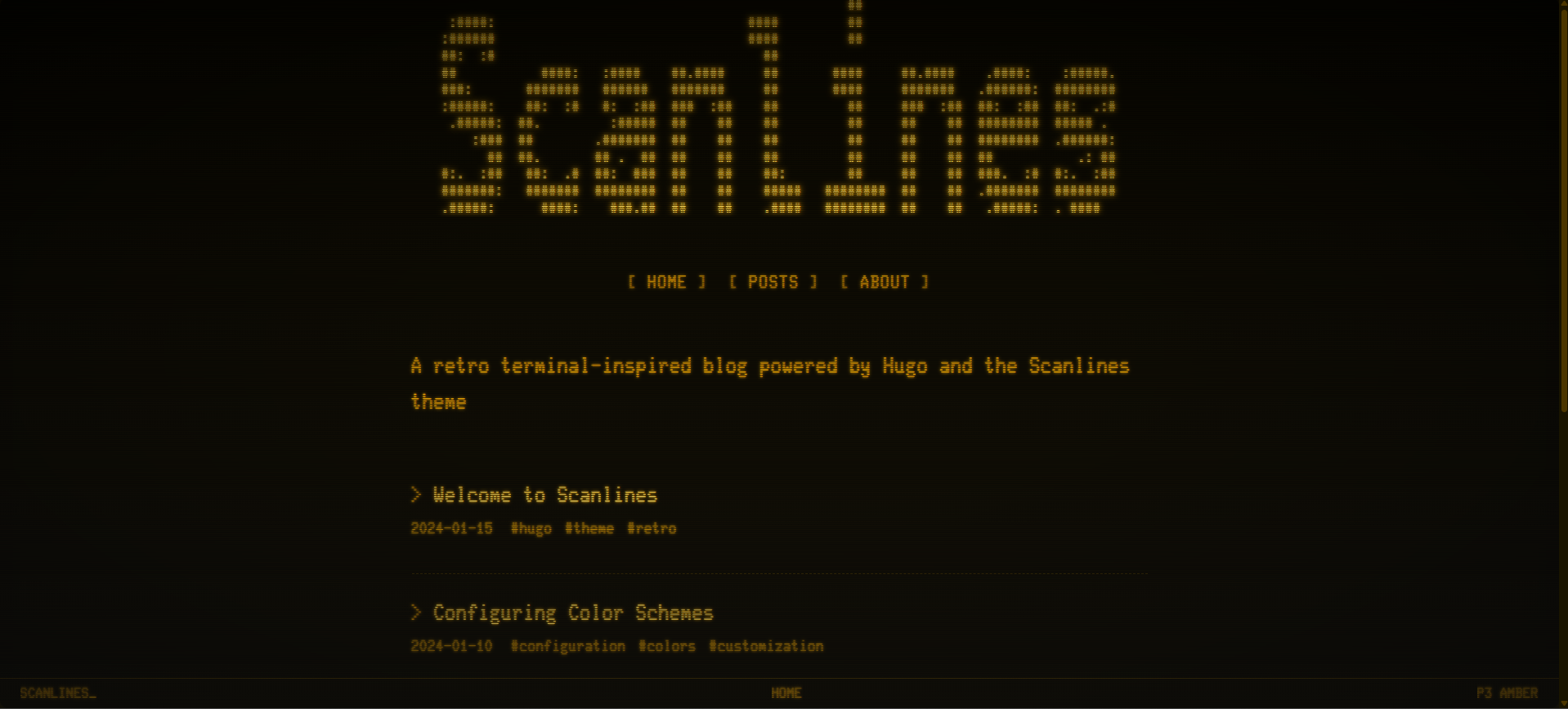
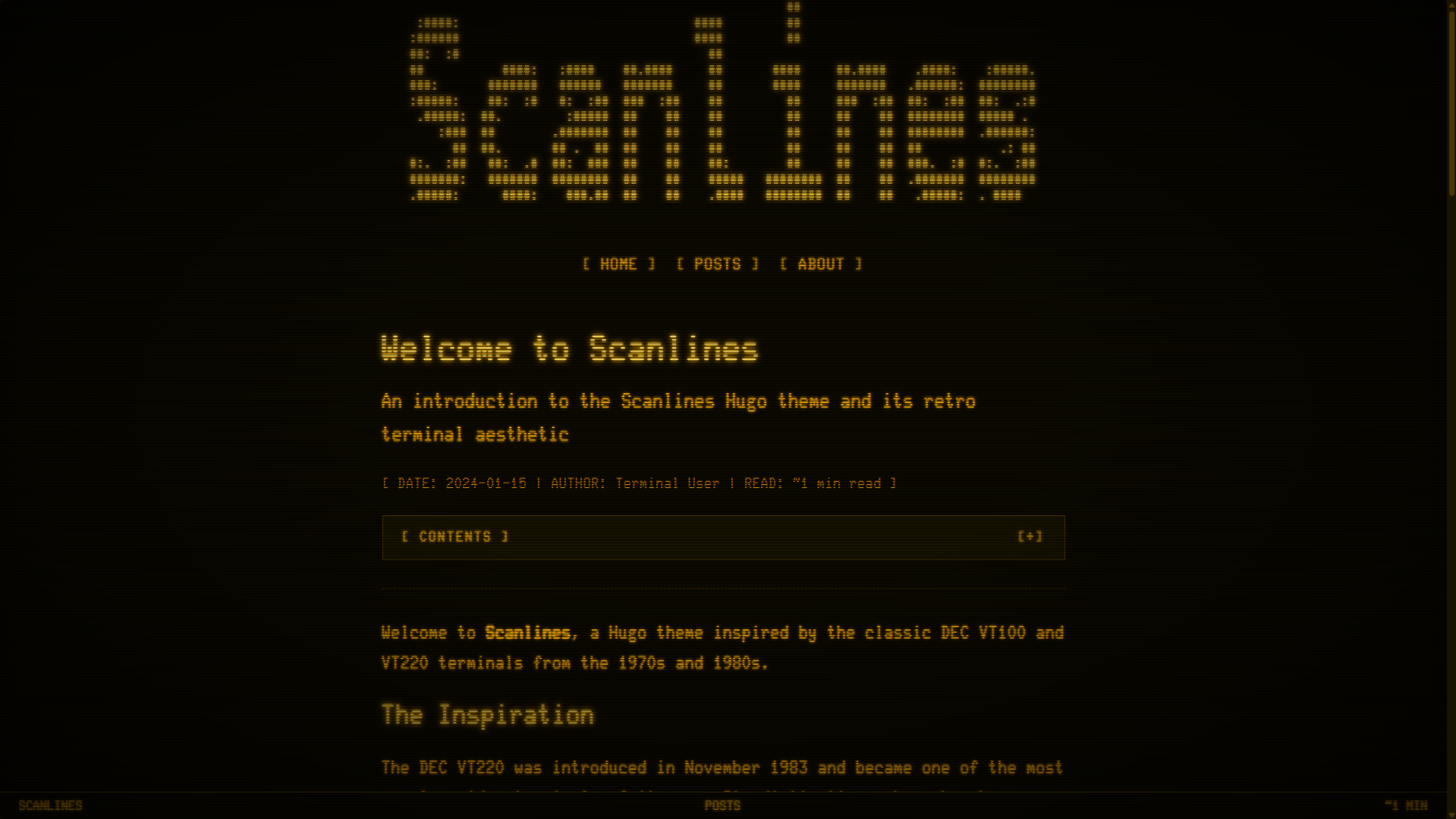
- Authentic CRT Effects - Scanlines, phosphor glow, screen flicker, vignette, and screen curvature
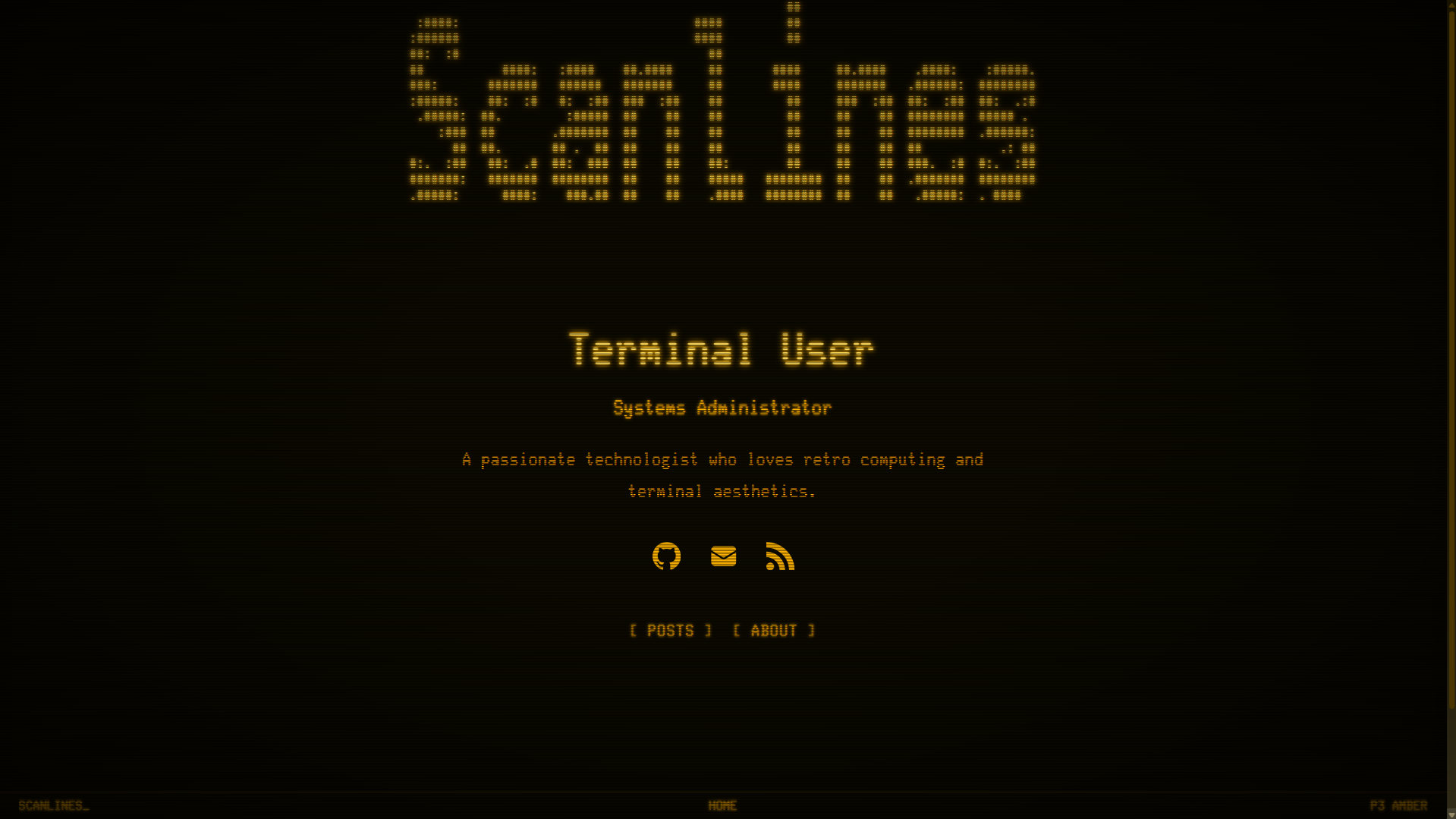
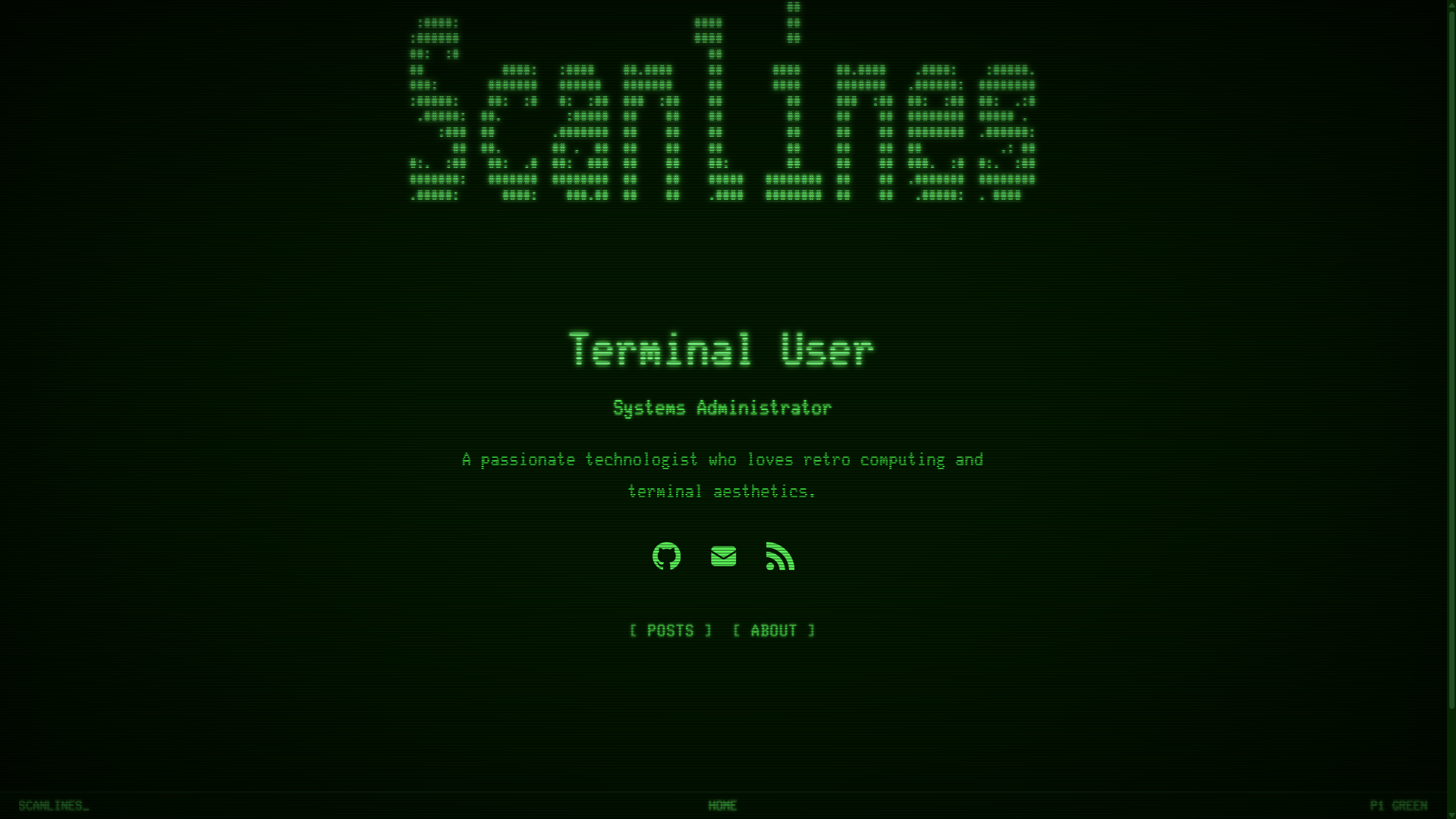
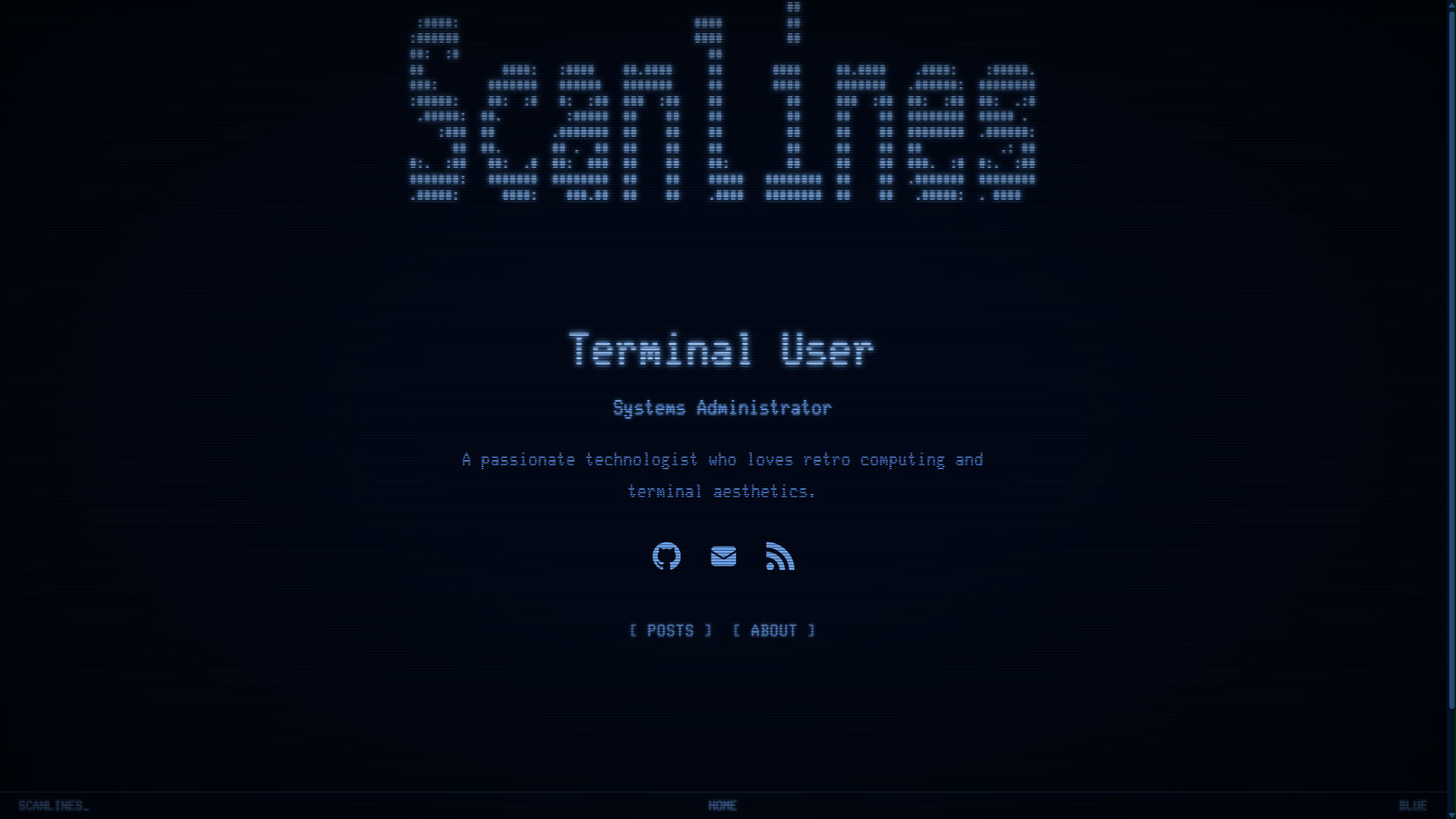
- Historical Color Schemes - Amber (P3), Green (P1), Blue, and White phosphor emulation
- Terminal Status Line - Fixed 25th-line status bar with blinking cursor (a VT320 feature; the VT220 itself was a 24-line screen)
- ASCII Art Header - Load custom ASCII art from a file for your site title
- Two Homepage Modes - Blog (recent posts) or Profile (landing page with buttons)
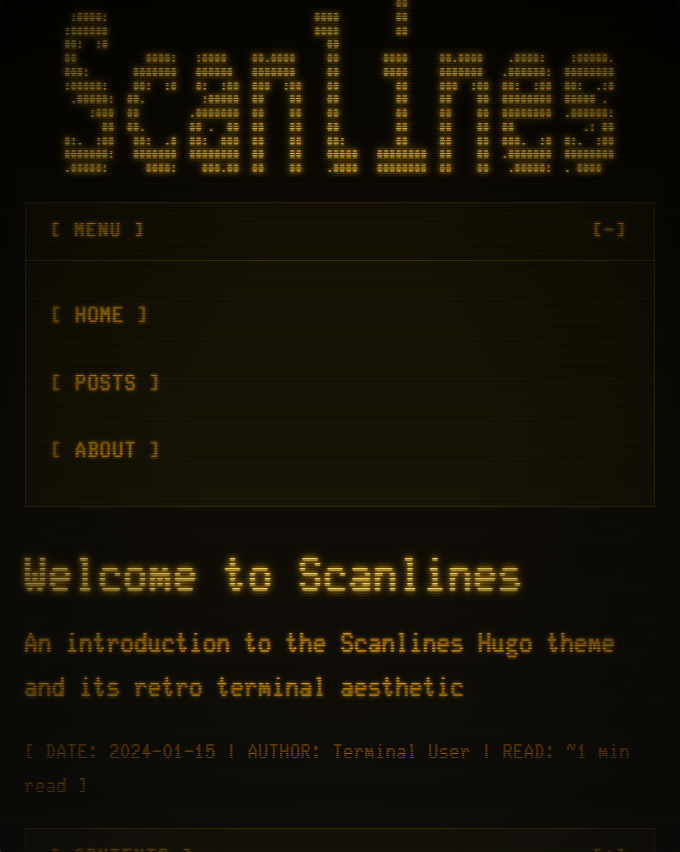
- Responsive Design - Mobile-first with collapsible navigation and TOC
- Syntax Highlighting - Chroma integration with monochrome or colored modes
- SEO Optimized - Semantic HTML, meta tags, Open Graph, Twitter cards, JSON-LD structured data, RSS
- Fully Configurable - All options namespaced under
params.scanlines - No External Dependencies - Self-hosted WOFF2 fonts and assets
- No JavaScript - Pure CSS effects and interactions
- Translatable - All UI strings run through Hugo's i18n system (ships
i18n/en.toml) - Render Hooks - Lazy-loaded images, heading permalinks, and external links that open in a new tab
- Accessibility - Respects
prefers-reduced-motion, configurable contrast, VT220-style reverse-video focus
# Initialize Hugo module (if not already)
hugo mod init github.com/your-username/your-site
Add to your hugo.toml:
[module]
  [[module.imports]]
    path = "github.com/wthouse/scanlines"
# Download/update the theme and start the server (requires hugo-extended)
hugo mod get -u
hugo serverTypography: on the default
fontFamily = "glass", set[markup.goldmark.extensions] typographer = falsein yourhugo.toml. A VT220 could only display ASCII and the DEC Multinational Character Set (roughly Latin-1), and Glass TTY VT220 matches that repertoire. Left on, Hugo rewrites quotes and dashes into curly quotes and em dashes, which that font lacks — so they fall back to a different face mid-sentence. Fira Code has the full repertoire, sofontFamily = "fira"needs no change.
Code blocks: Hugo's default highlighter inlines its own (monokai) colors, which clash with the theme. Add
[markup.highlight]withnoClasses = falseto yourhugo.tomlso code uses the theme's terminal styling. See Syntax Highlighting.
- Hugo Extended v0.146.0 or later (SCSS processing; render hooks use the 0.146+ template system)
- Go 1.18+ — only for the Hugo Modules install shown above. The submodule, clone and ZIP methods in INSTALLATION.md need nothing but Git.
- No other build tools, package managers or CDN requests
All theme options are namespaced under [params.scanlines] in your hugo.toml.
[params.scanlines]
  # Color scheme: "amber" (default), "green", "blue", "white"
  colorScheme = "amber"

  # Homepage style: "blog" (default) or "profile"
  # "blog"    — site tagline + recent posts
  # "profile" — profile header + buttons (landing page, nav hidden)
  homepage = "blog"

  # Favicon path (relative to static folder)
  favicon = "/favicon.ico"

  # Date format (Go date format string)
  dateFormat = "2006-01-02"

  # Show reading time on posts
  showReadingTime = true

  # Show tags on post listings
  showTags = true

  # Section that holds your posts. The homepage, archive and 404 read from it —
  # change this if your content lives in e.g. content/articles/.
  contentSection = "posts"

  # Default Open Graph / Twitter share image, used when a page sets no `image`.
  # Pages with a `summary_large_image` card need this (or a per-page image).
  ogImage = "/images/og-default.png"
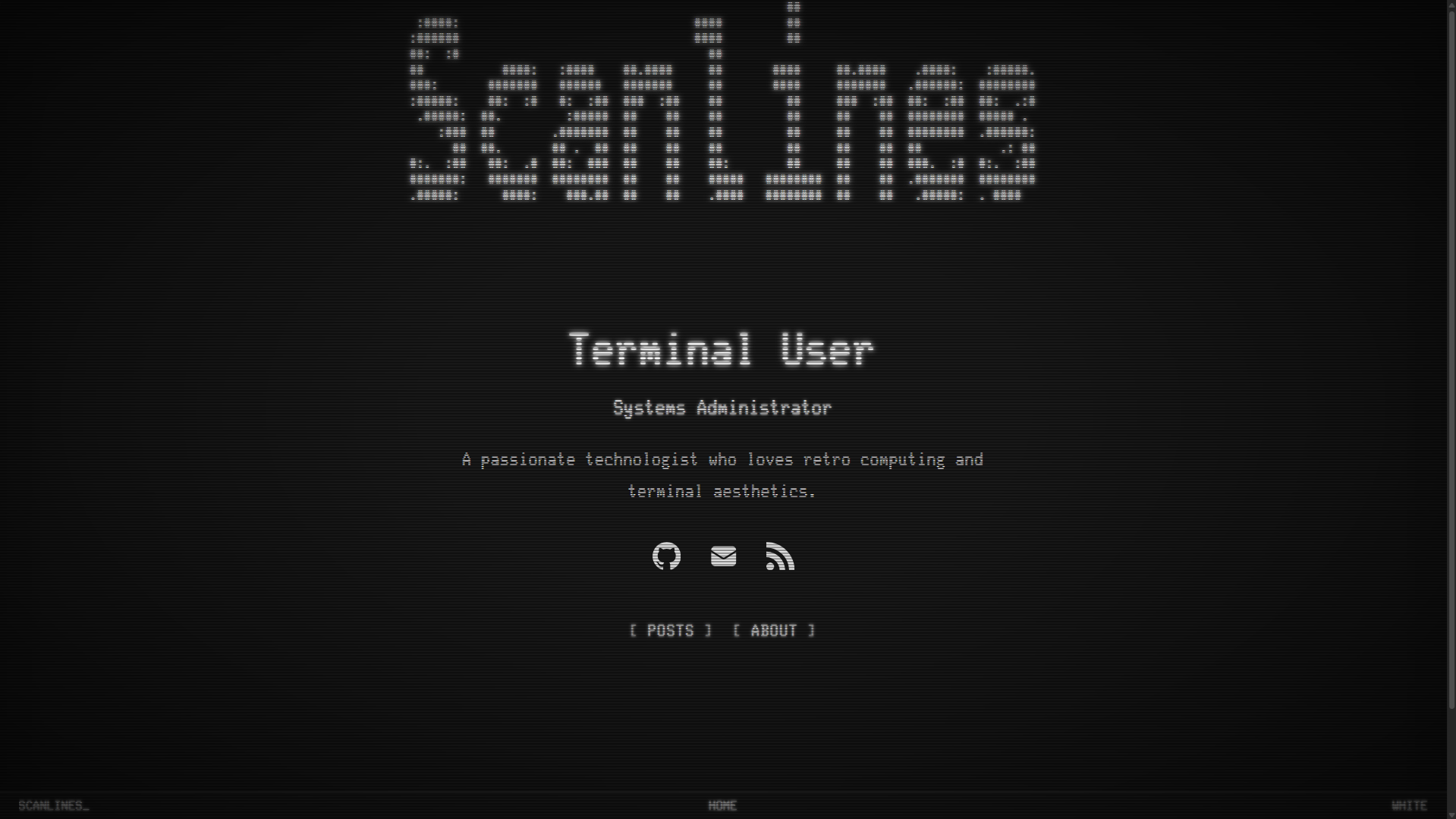
Blog mode (default): Shows a tagline and recent posts with tags.
Profile mode: A landing page with your name, bio, social icons, and configurable buttons. Navigation is hidden — visitors navigate via the buttons you define.
[params.scanlines]
  homepage = "profile"

[params.scanlines.profile]
  name = "Your Name"
  subtitle = "Your Title"
  avatar = "/images/avatar.png"  # Optional
  bio = "A brief bio about yourself."

  # Buttons shown on profile homepage
  [[params.scanlines.profile.buttons]]
    name = "Posts"
    url = "/posts/"
  [[params.scanlines.profile.buttons]]
    name = "About"
url = "/about/"Override the default color scheme with custom hex values:
[params.scanlines.colors]
  foreground = "#FFB000"
  background = "#0D0A00"
  backgroundSecondary = "#1A1400"
  accent = "#FF8C00"
  link = "#FFB000"
linkHover = "#FFD966"[params.scanlines.effects]
enabled = true # Master toggle for all effects
scanlines = true # Horizontal scanline overlay
scanlineOpacity = 0.4 # 0.0 - 1.0
flicker = false # Screen flicker animation
flickerIntensity = 0.03 # 0.0 - 1.0 (0.03 barely visible, 0.15 subtle)
vignette = true # Phosphor edge fade + subtle screen curvature
vignetteIntensity = 0.8 # 0.0 - 1.0
glow = true # Text phosphor glow
glowIntensity = 0.8 # 0.0 - 2.0When CRT effects are enabled, images in articles get a partial-grayscale phosphor
treatment so photos sit naturally on the terminal background; hovering eases the
filter back (it doesn't fully restore the original colors). The additional
scanline overlay applies to images wrapped in a <figure> — i.e. those inserted
with Hugo's figure shortcode. Plain markdown images () get the
grayscale treatment and lazy loading, but no overlay.
[params.scanlines.accessibility]
  highContrast = false      # Boost contrast levels
  reduceMotion = false      # Disable all animations
  disableEffects = false    # Turn off all CRT effects entirely
The theme also respects the prefers-reduced-motion media query automatically:
every animation (screen flicker, scanline drift, the status-line cursor blink,
smooth scrolling) stops. Static effects — scanlines, vignette, glow — stay
visible, since they don't move; use disableEffects to remove those too.
[params.scanlines.header]
  showTitle = true                  # Show site title or ASCII art (default: true)
  asciiFile = "ascii-header.txt"  # ASCII art file in static/ (leave empty for plain text title)
  showBox = true                  # Show border around header (default: true)
  asciiScale = 1.0                # Multiplier for ASCII art size (1.5 = 50% larger)
To use ASCII art, create a text file in your static/ folder (e.g., static/ascii-header.txt). If no file is set, the site title displays as plain text.
[params.scanlines.toc]
  enabled = true
  collapsible = true        # Collapsible toggle
  title = "CONTENTS"
Posts show a TOC by default when they have headings; other pages (e.g.
/about/) opt in with toc: true front matter. A page-level toc: false
always hides it.
A fixed status bar at the bottom of the screen. The 25th status line arrived with the VT320 (DECSSDT/DECSASD) rather than the VT220, which displayed 24 lines — the theme borrows it because it is the detail that reads as "terminal". Displays site title, current section, and contextual info (reading time, post count, or phosphor type). Hidden on mobile.
[params.scanlines.statusLine]
enabled = true[params.scanlines.layout]
containerWidth = "1200px" # Max width of the container
contentWidth = "40rem" # Max width of the content area (80 columns; rem so it tracks baseFontSize)[params.scanlines.typography]
baseFontSize = "20px" # Base font size (rem units scale from this)
fontFamily = "glass" # "glass" (Glass_TTY_VT220) or "fira" (Fira Code)Scanlines styles code with Chroma's class-based highlighting, which requires
noClasses = false in your hugo.toml. Without it, Hugo inlines its own
(monokai) colors and the theme's styling — including the colored toggle below —
has no effect:
[markup.highlight]
  noClasses = false           # required: use the theme's syntax styling
  lineNos = true              # optional: show line numbers
lineNumbersInTable = true # optional: keeps line numbers selectable[params.scanlines.syntax]
colored = false # false = monochrome (matches theme)
# true = multi-color syntax highlighting[params.scanlines.social]
github = "wthouse"
twitter = ""
linkedin = ""
mastodon = "" # Full URL for Mastodon
medium = "" # Username (without @)
hackthebox = "" # Profile UUID
bluesky = "" # Handle (e.g., "you.bsky.social")
youtube = "" # Channel handle (without @)
discord = "" # User ID
steam = "" # Custom URL ID
email = "you@example.com"
rss = trueConfigurable as either a blog listing or profile landing page (see Homepage Modes above).
Create posts in content/posts/ (or your configured contentSection). Supports:
- Inline, collapsible table of contents
- Tags and categories (both render on the post and generate taxonomy pages)
- Reading time
- Post summaries (front-matter
summaryordescription)
Tags use a #name chip; categories use a /name chip. Both link to their
taxonomy term pages, which are labelled automatically.
Every key is optional. hugo new posts/my-post.md starts you off with the
common ones (see archetypes/posts.md).
| Key | Type | Effect |
|---|---|---|
title |
string | Post title — heading, <title>, share cards, JSON-LD |
date |
date | Publication date. Omit it and the post shows no date in listings |
description |
string | Meta description, share-card text, JSON-LD, and RSS. Used as the listing excerpt when summary is unset |
summary |
string | Listing excerpt. Takes precedence over description in listings; also used for the RSS item when description is unset |
image |
path | Per-page Open Graph / Twitter image and JSON-LD image. Falls back to scanlines.ogImage |
author |
string | Overrides params.author for this post (byline, article:author, JSON-LD) |
tags |
list | #tag chips + tag term pages |
categories |
list | /category chips + category term pages |
toc |
bool | Force the table of contents on or off. Posts default to on when they have headings; other pages default to off |
draft |
bool | Hidden unless you build with -D |
Create pages in content/ (e.g., content/about.md). Set toc: true in front
matter to give a long page a table of contents.
A chronological index of every post, grouped by year. Create content/archive.md
and point it at the archive layout:
---
title: "Archive"
layout: "archives"
---Custom VT220-style 404 page with VMS-flavored system messages
(%SYSTEM-W-NOTFOUND, page not found) and links back to the homepage and posts.
Create static/css/custom.css to add your own styles:
/* Override theme styles */
:root {
  --glow-intensity: 1.5;
}Create layouts/partials/custom_head.html:
<link rel="preconnect" href="https://example.com">
<script async src="/js/analytics.js"></script>Create layouts/partials/custom_footer.html:
<script src="/js/custom.js"></script>This partial renders at the very end of
<body>— after the site footer and the fixed status line, outside the page wrapper. It's the right place for scripts, but the wrong place for anything that should appear inside an article (see Comments below).
The theme ships no JavaScript and makes no external requests. Anything below is opt-in and supplied by your site — the theme just gives you the hook.
Third-party scripts are a trust decision. The snippets below load code from someone else's origin at runtime, so that provider can change what executes on your site. Subresource Integrity doesn't help here — these vendors ship unversioned, frequently-updated files, and a pinned
integrityhash silently breaks on their next release. If that tradeoff matters to you, self-host the script (then you can pin a hash), and either way keep the origin listed in your CSP.
Override layouts/partials/article-footer.html in your own site so comments
render inside the article where readers expect them. Copy the theme's version as
a starting point:
cp themes/scanlines/layouts/partials/article-footer.html layouts/partials/The theme's markup is wrapped in a {{ if or $cats $tags }} guard, so add your
embed after that block's {{ end }} — putting it inside means posts with no
tags or categories get no comments:
{{/* ...theme's taxonomy markup and its closing {{ end }} above... */}}

{{ if .Params.comments | default true }}
<div class="article-comments">
  <script src="https://giscus.app/client.js"
          data-repo="you/your-repo"
          data-mapping="pathname"
          crossorigin="anonymous" async></script>
</div>
{{ end }}
Don't use custom_footer.html for this — it renders after the status line, so
the widget ends up detached from the post.
Add the snippet to layouts/partials/custom_head.html (shown above). Anything
privacy-friendly and self-contained fits the theme's no-external-requests
posture — for example:
<script defer data-domain="example.com" src="https://plausible.io/js/script.js"></script>If you deploy with a strict CSP, remember to allow the origin (see INSTALLATION.md).
There's no built-in search: every client-side option (Fuse.js, Pagefind, Lunr) ships JavaScript, which the theme deliberately doesn't. Two ways to add it:
-
Zero-JS — a plain HTML form that hands off to an external engine:
<form action="https://duckduckgo.com/" method="get">
  <input type="hidden" name="sites" value="example.com">
  <input type="search" name="q" aria-label="Search this site">
</form>
-
Full-text — add Pagefind as a post-build step via
custom_footer.html. That does introduce JavaScript to your site; the theme itself stays clean.
Hugo renders LaTeX server-side, so math needs no client-side library. Enable the passthrough extension and add a render hook to your site:
[markup.goldmark.extensions.passthrough]
  enable = true
  [markup.goldmark.extensions.passthrough.delimiters]
    block  = [['\[', '\]'], ['$$', '$$']]
    inline = [['\(', '\)']]
{{/* layouts/_markup/render-passthrough.html */}}
{{ $opts := dict "output" "mathml" "displayMode" (eq .Type "block") }}
{{ transform.ToMath .Inner $opts }}
displayMode is what makes $$…$$ render as a centered display equation rather
than inline.
MathML output needs no stylesheet at all; see the Hugo docs for the KaTeX-CSS variant.
All interface strings run through Hugo's i18n system. To translate the theme,
copy the bundled i18n/en.toml into your site as i18n/<lang>.toml, translate
the values, and set defaultContentLanguage in your config. Templates fall back
to English for any missing keys, so partial translations are safe.
The theme includes four historically accurate phosphor color schemes. All foreground/background pairs meet WCAG AA for normal text; amber, green, and white also meet AAA.
| Scheme | Phosphor | Foreground | Background | Contrast |
|---|---|---|---|---|
| Amber | P3 (~602nm) | #FFB000 |
#0D0A00 |
~12.5:1 (AAA) |
| Green | P1 (~525nm) | #33FF66 |
#001A00 |
~14.8:1 (AAA) |
| Blue | Cool white | #6AAFFF |
#000A1A |
~7.7:1 (AAA) |
| White | Paper white | #E6E6E6 |
#1A1A1A |
~13.5:1 (AAA) |
If you set custom colors via [params.scanlines.colors], verify contrast with a tool like WebAIM Contrast Checker. Values are validated against ^#[0-9a-fA-F]{3,8}$ and silently dropped if malformed — invalid hex falls back to the scheme default.
| Green | Blue | White |
|---|---|---|
 |
 |
 |
| Single Post with TOC | Mobile View |
|---|---|
 |
 |
The theme uses two self-hosted fonts:
- Glass TTY VT220 (default) - Authentic VT220 terminal font (Unlicense)
- Fira Code (optional) - Modern monospace alternative (OFL)
Full font license texts are in LICENSE-FONTS.md. The theme itself is MIT (LICENSE).
- Chrome/Edge 88+
- Firefox 78+
- Safari 14+
- Mobile browsers (iOS Safari, Chrome Android)
- Inspired by the DEC VT220 terminal
- Glass TTY VT220 Font by Viacheslav Slavinsky
- Fira Code by Nikita Prokopov
- PaperMod by Aditya Telange - Clean layout patterns, profile mode, and archive page design
- Terminal by Radek Kozieł - Terminal aesthetic and monospace-first typography
- BOOTSTRA.386 by Chris McKenzie - Proof that retro computing aesthetics belong on the modern web
- Chicago7 by Akop Karapetyan - Retro UI inspiration and nostalgic design sensibility
MIT License - see LICENSE for details.
Built with Hugo | Vibed with Claude Code (Claude Opus 4.6)